Accessibility Testing
What Is Accessibility Testing?
TL;DR: Accessibility testing is the process of checking whether a website or app can be used by people with disabilities, measured against standards like WCAG. It comes in four types: automated testing, manual testing, assistive technology testing, and testing with real users. Automated tools are fast and scalable but reliably catch only about a quarter to 40 percent of issues, so a complete strategy combines all four. This guide covers each type, the tools involved, and how to run testing continuously instead of just once.
Accessibility testing is how you find out whether people who use screen readers, navigate by keyboard, rely on captions, or need high contrast can actually use your website. It checks your site against the Web Content Accessibility Guidelines (WCAG), the standard maintained by the W3C that defines what accessible digital content looks like. The goal is not a passing score for its own sake. It is confirming that everyone can complete the same tasks, whatever tools they use to get there.
There is one reality that shapes everything about how testing should be done: no single method finds everything. Automated tools miss issues only a human can judge, and human testing does not scale the way automation does. Understanding what each method catches is the difference between a site that passes a scan and a site that actually works.
How accessibility testing differs from audits and remediation
Accessibility testing is the practice of evaluating digital content against accessibility standards to identify barriers that would prevent people with disabilities from using it. It covers visual, motor, auditory, and cognitive needs, and it applies across the whole experience: content, navigation, forms, media, and interaction.
Where people get confused is how testing relates to a couple of neighboring terms. An accessibility audit is usually a formal, point-in-time evaluation that produces a report, often for compliance. Accessibility testing is the broader, ongoing activity of checking for issues, which includes audits but also the quick automated scans and spot checks a team runs while building. Testing finds the problems. Fixing them is accessibility remediation, a separate step.
The four types of accessibility testing
A complete strategy uses four methods, each catching what the others miss.
| Type | How it works | What it is best at | Examples |
|---|---|---|---|
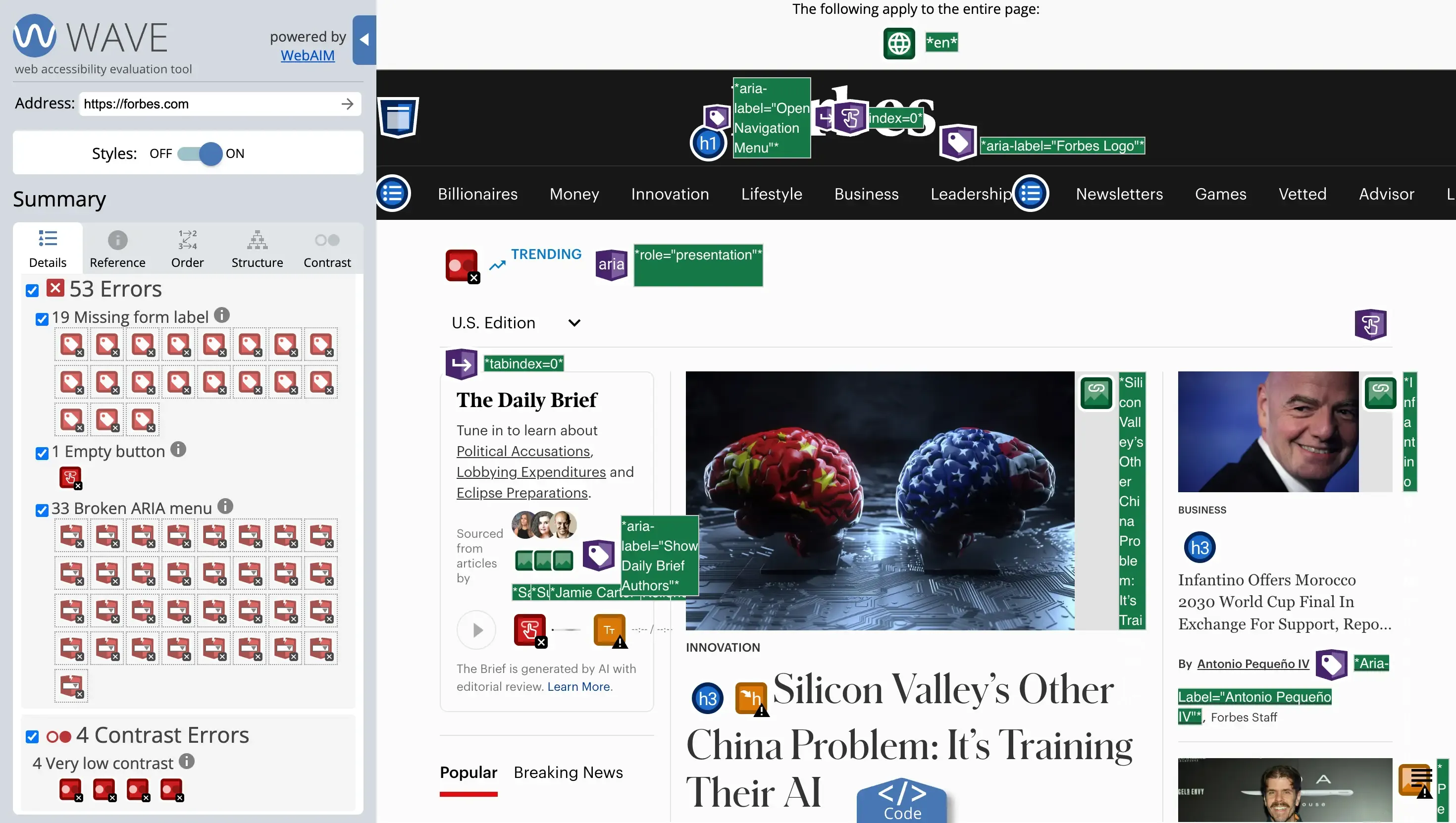
| Automated testing | Software scans code against WCAG rules | Fast, scalable detection of technical issues | axe, WAVE, Lighthouse, Playwright with axe-core |
| Manual testing | A person checks against WCAG by hand | Context and judgment calls tools cannot make | Keyboard-only navigation, zoom, WCAG checklists |
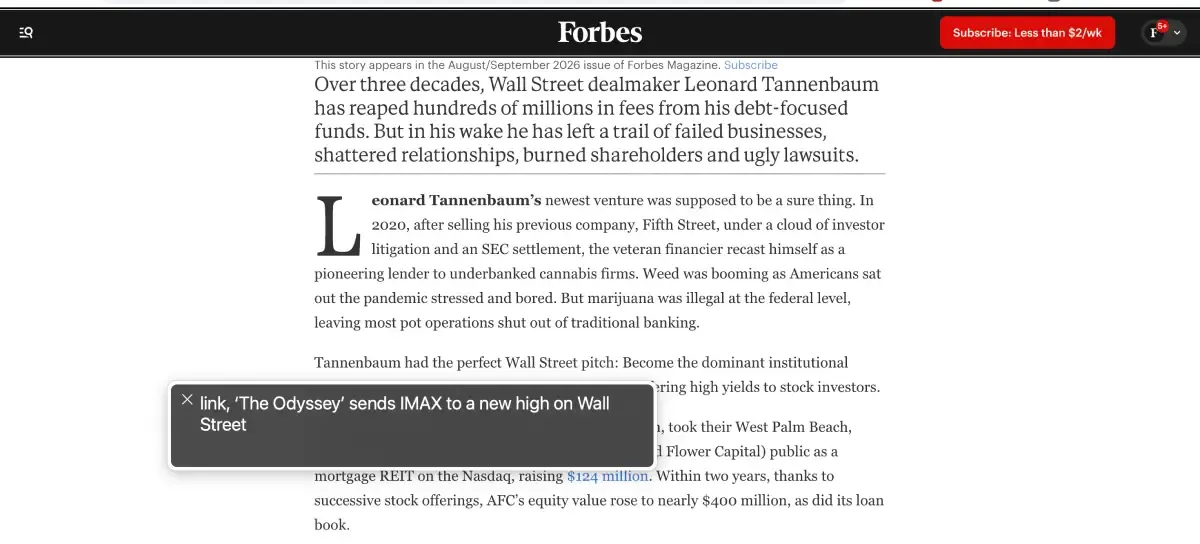
| Assistive technology testing | Testing with the tools disabled users rely on | Real screen reader and navigation behavior | NVDA, JAWS, VoiceOver, TalkBack, voice control |
| User testing | Real people with disabilities complete tasks | The truest measure of actual usability | Moderated task sessions with disabled participants |
Automated testing is where most teams start because it is fast and repeatable. The other three add the human judgment that automation cannot replicate, and they become more important as you aim for a higher level of conformance.
What automated testing catches, and what it misses
This is the most misunderstood part of accessibility testing, so it is worth being precise. Automated tools are excellent at issues with clear, programmatic rules, and unreliable or blind on anything requiring judgment.
What automated testing catches reliably:
- Missing alt text attributes on images
- Color contrast below WCAG thresholds
- Missing form field labels
- Empty buttons and links
- Missing document language and structural errors in the markup
What automated testing misses:
- Whether alt text is actually meaningful, or just says "image"
- Whether the reading and focus order makes sense
- Whether keyboard navigation genuinely works end to end
- Whether captions accurately match the audio
- Whether content is understandable and the experience works for someone with a cognitive disability
Independent studies put reliable automated coverage at roughly 25 to 40 percent of WCAG issues. Some analyses report figures as high as 57 percent, but that number is skewed by color contrast, which automation detects almost perfectly and which makes up a large share of all recorded issues. In one well-known government test of a page with 142 known barriers, the best automated tool caught about 40 percent.
The practical takeaway is consistent across every source: automated testing is necessary and valuable, but it is never sufficient on its own.
How to do accessibility testing
A practical workflow layers the four types in order of speed and cost.
1. Run an automated scan
Start with a tool like axe, WAVE, or Lighthouse to catch the machine-detectable issues quickly. This clears the easy, high-volume problems and gives you a baseline before you invest human time. The W3C maintains a large list of evaluation tools if you want to compare options.
2. Test with a keyboard
Put the mouse aside and navigate the whole site using only Tab, Shift+Tab, Enter, and the arrow keys. Confirm you can reach every interactive element, that the focus order is logical, and that a visible focus indicator is always present. This single manual check surfaces issues automation routinely misses.
3. Test with a screen reader
Work through key pages with a screen reader such as NVDA or VoiceOver. This is how you find out whether your headings, labels, alt text, and dynamic content actually make sense when read aloud, rather than just whether they exist.
4. Test with real users, and retest over time
Where possible, have people with disabilities complete real tasks, since nothing else validates true usability as well. Then treat testing as ongoing rather than a one-time event, because the next step explains why a single pass is never enough.
Why one round of accessibility testing is never enough
Here is the trap. Accessibility testing is often treated as a project with an end date. You test, you fix, you move on. But a website is not static. Every new blog post, product page, plugin update, or redesign is a chance to introduce a fresh WCAG failure. A new image ships without alt text. A redesigned button loses its focus state. A template change quietly drops the contrast below the threshold.
That is the shelf-life problem. A test is a snapshot of a single moment, and it ages the instant your content changes. The site you carefully tested and fixed in the spring can be failing by summer, with no report and no warning, because nothing is watching for the regression. Staying accessible depends on catching new issues the moment they appear, which is a different job from testing once.
How Kapient runs continuous accessibility testing on your live site
This is where automated testing becomes ongoing instead of occasional. Kapient continuously tests your live website against WCAG, so the machine-detectable issues that reappear as your content changes get caught as they happen, not at your next annual review.
Kapient handles the automated, continuous layer of the strategy above. It watches the live-site factors most likely to break with everyday edits:
- Images missing meaningful alt text
- Color contrast that drops below WCAG thresholds after a design change
- Keyboard and navigation issues that block people who do not use a mouse
- Forms with missing or unclear labels
One honest boundary. Kapient automates the continuous testing layer, so it does not replace the manual, assistive technology, and user testing that full WCAG conformance requires. What it does is make sure the automatable checks never lapse between manual rounds, so a new barrier is caught in days rather than discovered in a lawsuit. It also covers your live website, not the interiors of downloadable files. Used alongside periodic human testing, it is what keeps your accessibility from silently regressing.
A one-time test tells you about today. It says nothing about next week's deploy. Kapient tests your live site against WCAG continuously and hands you the exact fix the moment something breaks. Start monitoring your site with Kapient so a new accessibility barrier never slips through.
Frequently asked questions
What is accessibility testing?
Accessibility testing is the process of checking whether a website or app can be used by people with disabilities, measured against standards like WCAG. It spans visual, motor, auditory, and cognitive needs and uses a mix of automated tools, manual checks, assistive technology, and testing with real users to find barriers that would block anyone from completing the same tasks.
What are the types of accessibility testing?
There are four main types. Automated testing uses software to scan code against WCAG rules. Manual testing has a person check the site by hand, including keyboard navigation. Assistive technology testing uses tools like screen readers to see how disabled users actually experience the site. User testing has people with disabilities complete real tasks. A complete strategy combines all four, since each catches what the others miss.
Can accessibility testing be fully automated?
No. Automated tools reliably detect only around 25 to 40 percent of WCAG issues, mostly technical ones with clear rules like missing alt text and low contrast. They cannot judge whether alt text is meaningful, whether focus order makes sense, or whether the experience works for someone with a cognitive disability. Automation is essential for speed and scale, but human testing is required for the rest.
How do you do accessibility testing manually?
Manual accessibility testing means checking a site against WCAG by hand. The core techniques are navigating the entire site with only a keyboard, confirming a visible focus indicator and logical focus order, testing key flows with a screen reader, checking color contrast and zoom behavior, and working through a WCAG checklist. It catches the context-dependent issues that automated scans cannot evaluate.
What is the difference between accessibility testing and usability testing?
Usability testing measures how easy a product is to use for people in general. Accessibility testing specifically measures whether people with disabilities can use it, against a defined standard like WCAG.
They overlap, since an inaccessible site is also unusable for many people, but accessibility testing has specific criteria and includes methods like screen reader and keyboard testing that general usability testing may not.
What tools are used for accessibility testing?
Common automated tools include axe, WAVE, and Lighthouse, and axe-core can be run inside test frameworks like Playwright. Manual and assistive technology testing use screen readers such as NVDA, JAWS, VoiceOver, and TalkBack. The W3C maintains a comprehensive list of evaluation tools. Continuous monitoring tools like Kapient run automated testing on an ongoing basis so live-site issues are caught as they appear.
Written by the Kapient team. Last updated: August 25, 2026.