Alt Text
What Is Alt Text?
TL;DR: Alt text, short for alternative text, is a written description of an image added in the HTML alt attribute. Screen readers read it aloud so people who cannot see the image still get its meaning, and it appears if the image fails to load. It also helps search engines understand images. Good alt text is specific, concise, and describes the content or purpose of the image, without starting with "image of" or stuffing in keywords. Purely decorative images should have empty alt text so screen readers skip them.
Alt text is how an image speaks to web visitors who cannot see it. It’s a short description you add to an image so that screen readers can describe it properly, search engines can understand it better, and browsers can display the text if the image fails to load.
It is one of the most basic and important elements of an accessible website, and it is required by the WCAG accessibility standard.
The implementation is simple, but the impact is huge. For someone using a screen reader, an image without alt text may result in silence or a meaningless file name being read aloud. With good alt text, the same image can convey the information that a sighted visitor gets from seeing it. That’s why alt text is a core part of web accessibility.
What is alt text?
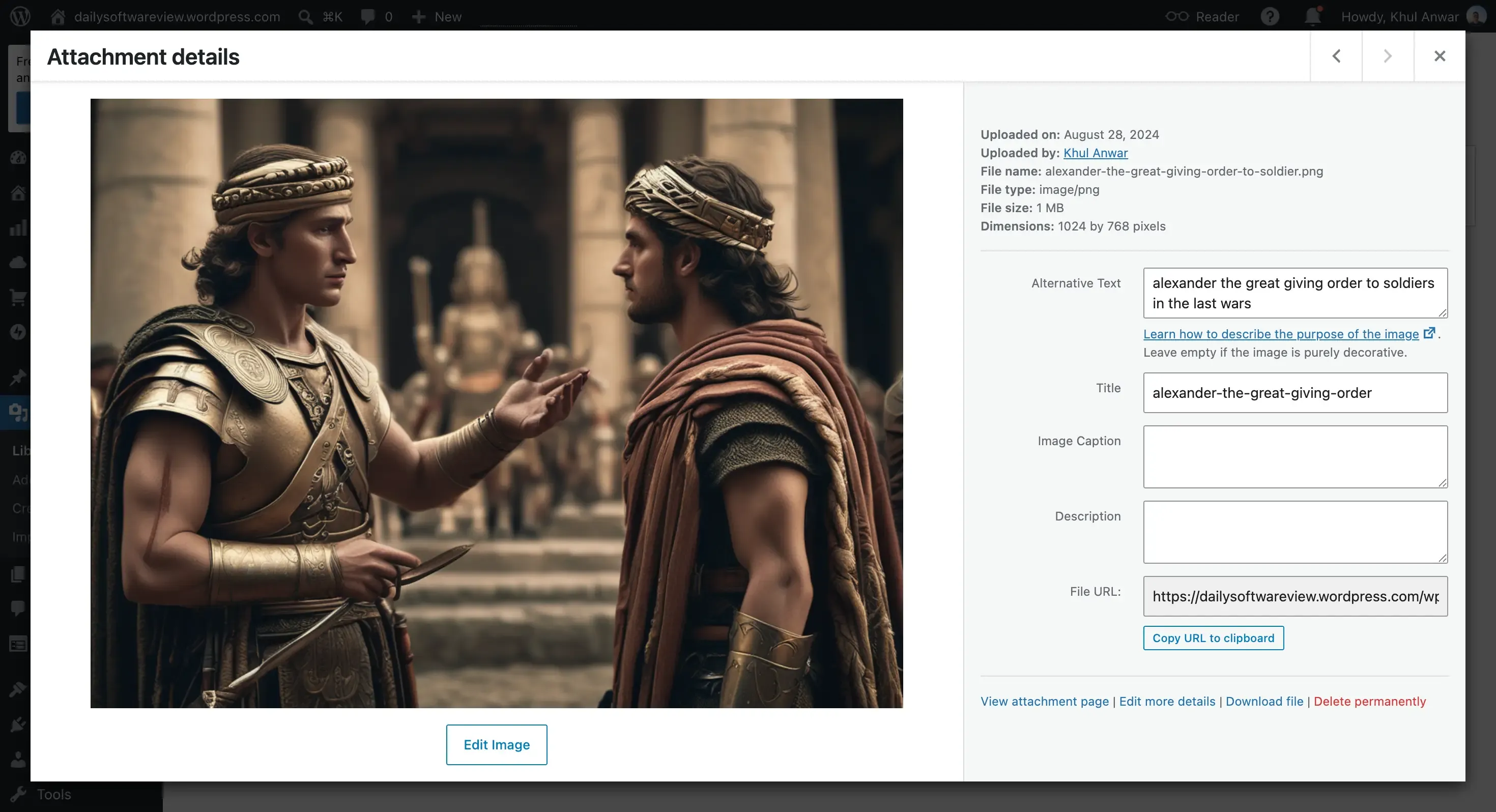
Alt text is the written alternative for an image, stored in the image's alt attribute in the HTML. It serves three jobs at once. It gives screen reader users a description of the image, it provides fallback text shown when an image cannot load, and it gives search engines information about what the image contains.
In code, it looks like this: an image tag with alt="a description of the image". Most people never touch the HTML directly, because website builders and content management systems provide a simple field for it, usually labeled "alt text" or "alternative text" when you add or edit an image.
Why alt text matters
Alt text matters for three overlapping reasons.
Accessibility. This is the primary purpose. Screen readers rely on alt text to describe images to people who are blind or have low vision. Without it, those users miss whatever the image communicates, from a product photo to a chart to a button.
Resilience. If an image fails to load, because of a broken link, a slow connection, or a typo in the file path, the browser displays the alt text in its place. Visitors still understand what should have been there.
SEO. Search engines’s crawler cannot see images the way people do, so they use alt text to understand and index them. Good alt text helps your images appear in image search and gives search engines useful context about the page.
How to write good alt text
Writing effective alt text is a skill, and it is mostly about being useful and specific. The core rules:
- Describe the content or function, say what is in the image or what the image does. Describe it using clear and simple language.
- Be concise. Aim for roughly one sentence. Many screen readers handle around 125 characters at most.
- Do not start with "image of" or "picture of." Screen readers already announce that it is an image, so those words are redundant.
- Do not keyword-stuff. Spamming search terms into alt text can hurt both SEO and accessibility. Write for your audience, not the search engine.
- Match the context. The right description depends on why the image is on the page. The same photo might need different alt text in an article versus a shopping page.
What good alt text looks like
Examples make the difference clear. Here is poor versus better alt text for the same images.
| Image | Poor alt text | Better alt text |
|---|---|---|
| Photo of a red running shoe | "shoe" or "IMG_2043" | "Red running shoe, side view" |
| Bar chart of quarterly sales | "chart" | "Bar chart showing Q3 sales up 20 percent over Q2" |
| Logo that links to the homepage | "logo" | "Acme, return to homepage" |
| A purely decorative divider line | "decorative line" | (empty alt text, so screen readers skip it) |
Notice the last row. Not every image needs a description. If an image is purely decorative and adds no information, it should have empty alt text, written as alt="", so a screen reader skips it instead of announcing clutter.
Decorative, informative, and functional images
Deciding what to write starts with what the image is for.
- Informative images convey content, like a photo, a diagram, or a chart. These need alt text that describes the information.
- Functional images do something, like an icon that acts as a button or a logo that links somewhere. Their alt text should describe the action or destination, not the appearance. A magnifying-glass icon that runs a search should be "Search," not "magnifying glass."
- Decorative images add visual style but no information. These take empty alt text so assistive technology ignores them.
This is why the answer to "do icons need alt text" is: it depends on what the icon does. A decorative icon does not. An icon that functions as a button or link does, describing its function.
Why alt text needs ongoing attention
Here is the catch that makes alt text an ongoing job rather than a one-time task. A website is constantly adding images. Every new blog post, product, and page is chance for image published without alt text. It happen silentny and nothing warn you when image ships without alt text description.
That is the shelf-life problem in miniature. You can add alt text to every image on your site today and still fail the check next month, because the images added next month are new. A site stays accessible on this point only if something keeps watching for images that arrive without alt text, which is exactly what ongoing web accessibility monitoring does.
How Kapient catches missing alt text
This is where continuous monitoring helps. Kapient checks your live site against WCAG on an ongoing basis, and missing alt text is one of the issues it watches for. When a new image is published without a description, Kapient flags it, so you can add one before it becomes a lasting gap.
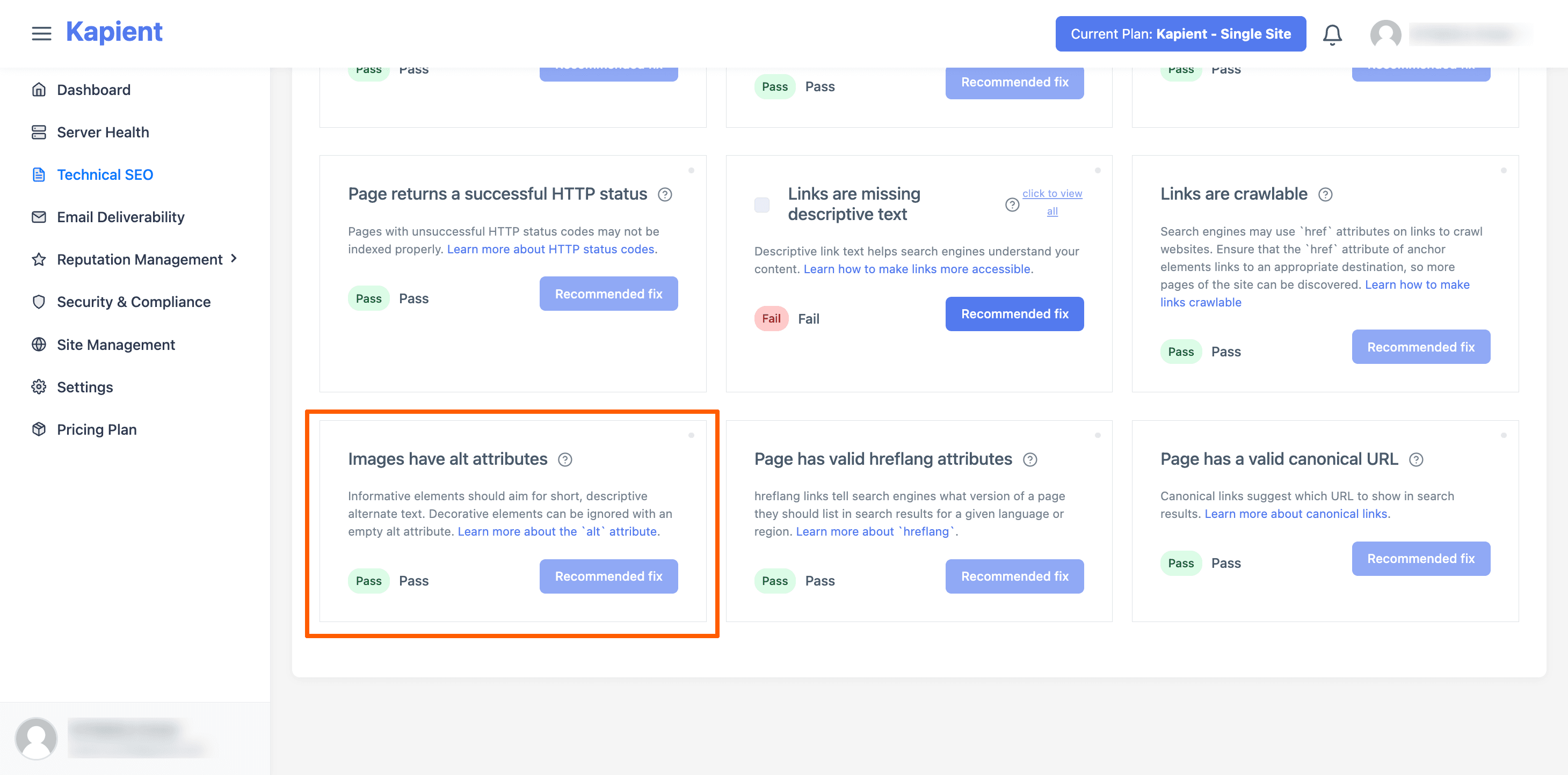
When Kapient detects missing alt text, it will notify you in the Kapient dashboard so you know what needs to be fixed.
One honest note. Automated monitoring can reliably tell you when alt text is missing, but it cannot judge whether the alt text you wrote is actually meaningful, since that requires human understanding of the image and its context. So Kapient is excellent at catching the images that have no description at all, which is the most common and most damaging failure, while writing good descriptions remains a human job. Used that way, it makes sure no image quietly slips onto your site undescribed.
Every new image is a chance to lose accessibility. Kapient watches your live site and flags images published without alt text, so a missing description never goes unnoticed. Start monitoring your site with Kapient to keep your images accessible.
Frequently asked questions
What is alt text? Alt text, or alternative text, is a written description of an image added in the HTML alt attribute. Screen readers read it aloud so people who cannot see the image understand it, it appears if the image fails to load, and search engines use it to understand the image. It is a basic requirement of web accessibility under WCAG.
How do you write good alt text? Describe what the image shows or does, in about one concise sentence. Be specific, skip phrases like "image of" since screen readers already announce images, and do not stuff in keywords. Match the description to why the image is on the page, and give purely decorative images empty alt text so screen readers skip them.
What is a good example of alt text? For a bar chart, "chart" is poor, while "Bar chart showing Q3 sales up 20 percent over Q2" is good, because it conveys the actual information. For a logo that links home, "Acme, return to homepage" describes the function rather than just saying "logo." Good alt text always tells the user what a sighted visitor would get from the image.
Do icons need alt text? It depends on the icon's purpose. A purely decorative icon should have empty alt text so screen readers ignore it. An icon that functions as a button or link does need alt text, and it should describe the action or destination, not the appearance, so a search icon should read "Search" rather than "magnifying glass."
Is alt text good for SEO? Yes. Search engines cannot interpret images directly, so they rely on alt text to understand them, which helps your images rank in image search and gives search engines useful context about the page. The key is to write genuinely descriptive alt text for users, not to stuff keywords, since keyword stuffing hurts both accessibility and SEO.
Can people see alt text? Usually not. Alt text is not displayed as a visible caption on the page. It becomes visible only if the image fails to load, in which case the browser shows it in the image's place. Screen reader users hear it read aloud, and anyone can view it by inspecting the page's code, but for most visitors it works invisibly in the background.
Written by the Kapient team. Last updated: September 11, 2026.