SEO Metrics: The 15 That Actually Matter in 2026 (and the Ones to Ignore)
Most people tracking SEO are watching the wrong numbers, or the right numbers without the context that makes them mean anything. A traffic chart that goes up while revenue stays flat is not a success. A number-one ranking for a keyword nobody searches is not a win.

Khul Anwar
Growth
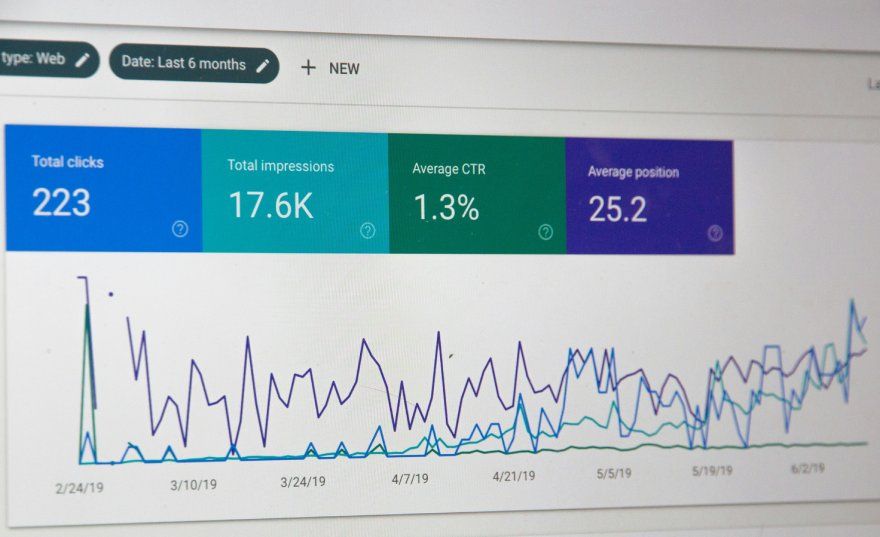
SEO Metrics: The 15 That Actually Matter in 2026 (and the Ones to Ignore)
TL;DR: SEO metrics are the numbers that show whether your site is winning organic search. The ones worth tracking fall into five groups: visibility (impressions, rankings, share of voice), traffic (organic sessions by intent, click-through rate), engagement and conversions (conversion rate, revenue from organic), authority (quality backlinks, referring domains), and technical health (index coverage, Core Web Vitals, crawl errors, broken links). In 2026, the smartest teams weight revenue and intent over raw traffic, and treat technical health as the foundation everything else sits on, because a fast, fully indexed, error-free site is what lets the other metrics move at all. Track them in Google Search Console and Google Analytics 4, and use continuous monitoring for the technical metrics that break silently.
Most people tracking SEO are watching the wrong numbers, or the right numbers without the context that makes them mean anything. A traffic chart that goes up while revenue stays flat is not a success. A number-one ranking for a keyword nobody searches is not a win. This guide covers the SEO metrics that actually matter in 2026, grouped so you can see how they fit together, plus which ones to stop reporting, how to track each, and what counts as a good score. The goal is a dashboard that tells you whether SEO is helping the business, not just whether it is busy.
What Are SEO Metrics?
SEO metrics are measurable data points that tell you how well your website is performing in organic (unpaid) search. They range from high-level business outcomes like revenue from organic traffic down to technical signals like how many of your pages Google has indexed.
It helps to separate two related terms. SEO metrics are any measurable data point about search performance. SEO KPIs (key performance indicators) are the small subset of those metrics you have chosen as the real measures of success, the ones tied directly to your goals. Every KPI is a metric, but not every metric deserves to be a KPI. Most dashboards fail because they treat every available number as equally important, when in fact three or four well-chosen KPIs tell you more than forty vanity metrics.
A good SEO metric has three qualities: it connects to a business outcome, you can act on it, and it is hard to fake. Metrics that fail those tests, like raw backlink counts or a proprietary authority score, feel productive to report but rarely change a decision.
The SEO metrics worth tracking fall into five categories, from visibility at the top of the funnel to technical health underneath it all.
The 15 SEO Metrics That Matter, by Category
A) Visibility Metrics
These measure whether you are showing up in search at all, before anyone clicks.
1. Impressions.
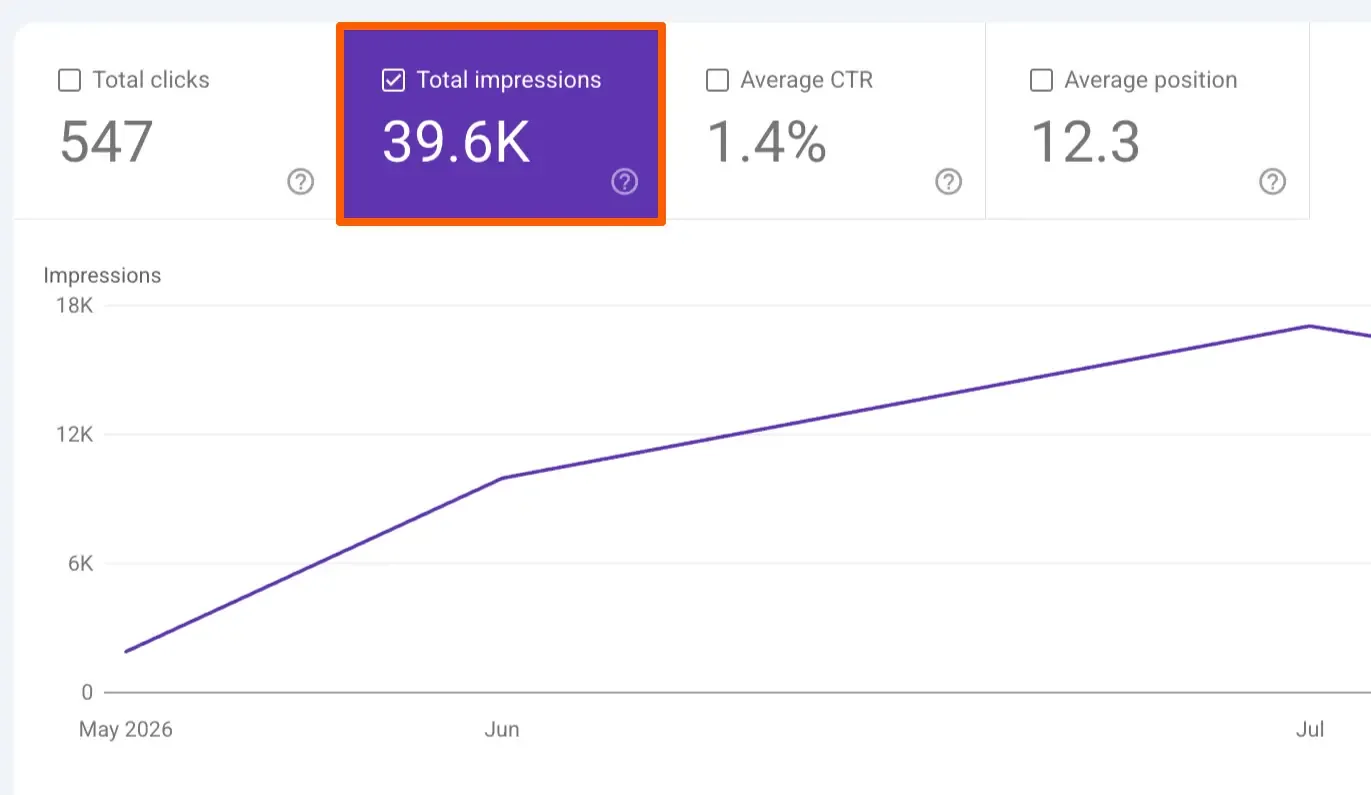
How often your pages appear in search results. Rising impressions mean growing visibility, but segment them by intent: a million impressions for "what is SEO" is worth far less than ten thousand for "best SEO agency near me."
Track in Google Search Console, and see the intent section below for how to split impressions into informational versus commercial.
2. Keyword rankings (by intent, not average).
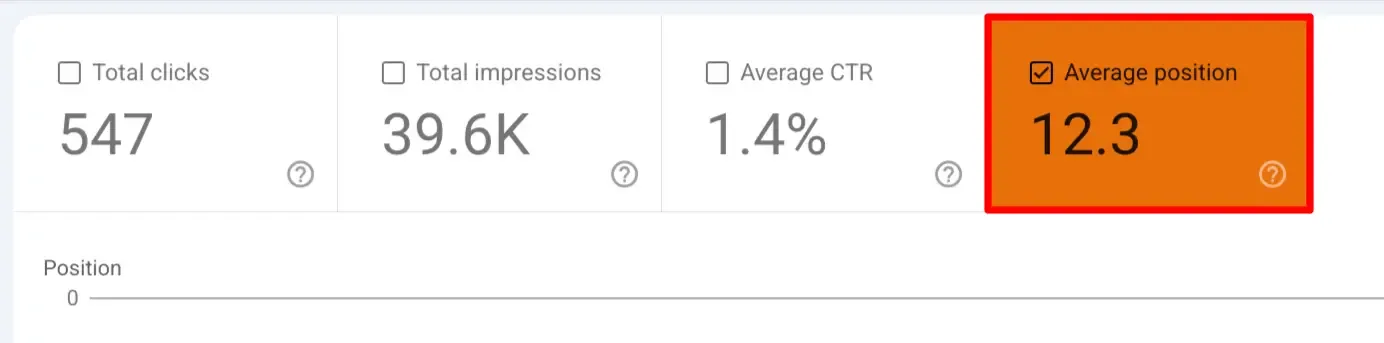
Where you rank for the terms that matter. Ignore "average position" across all keywords, which hides more than it shows, and instead track rankings for your highest-value commercial and transactional terms specifically.
To find which of your keywords carry commercial intent, use the query-filter method described in the intent section below. A single top-three ranking for a converting keyword beats fifty top-ten rankings for informational fluff.
3. Share of voice / SERP real estate.
How much of the results page you own for your target queries, including featured snippets, People Also Ask, local packs, and image results, not just the classic blue links. Owning multiple slots for a high-value query effectively boxes out competitors.
B) Traffic Metrics
These measure who actually arrives, and increasingly, whether they arrive at all in a zero-click world.
4.Organic traffic (segmented by intent).
Sessions from organic search remain foundational, but raw traffic on its own is misleading. A traffic drop concentrated in low-intent blog posts is very different from a drop on your service pages, so it is worth splitting organic traffic into informational versus commercial rather than reading it as one number.
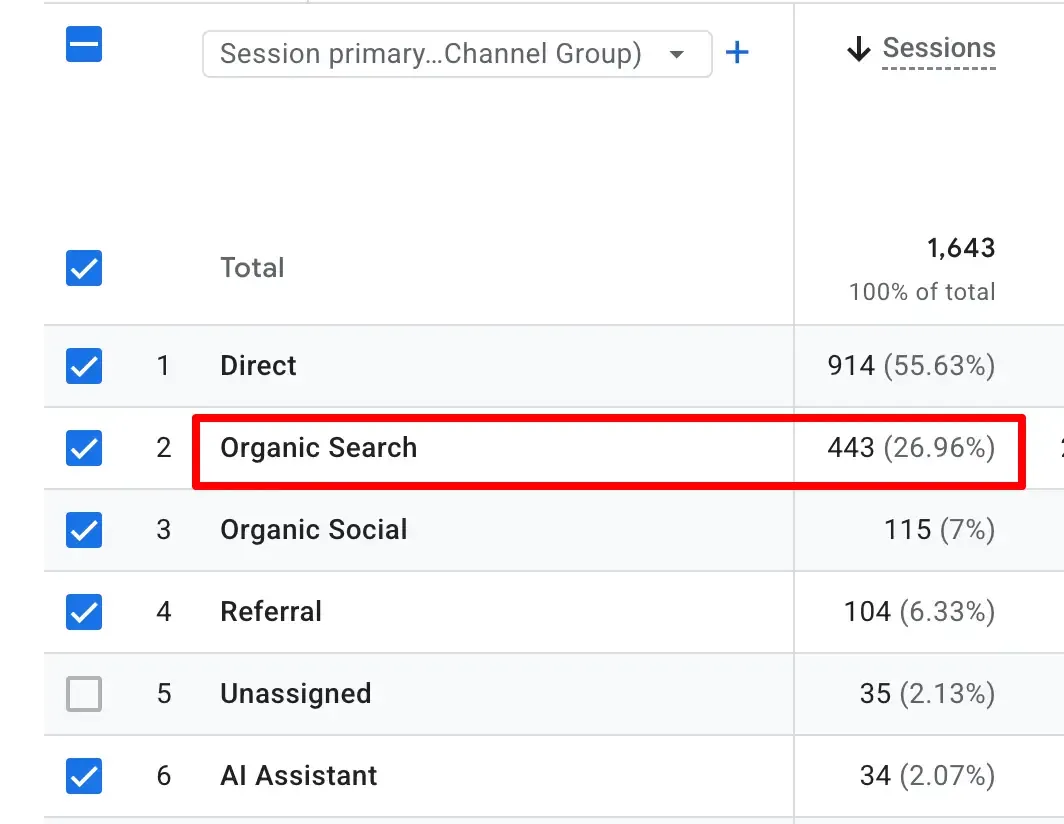
Neither GA4 nor Search Console has an "intent" setting, so you build the segment yourself using the two methods in the intent section below.
5. Organic click-through rate (CTR).
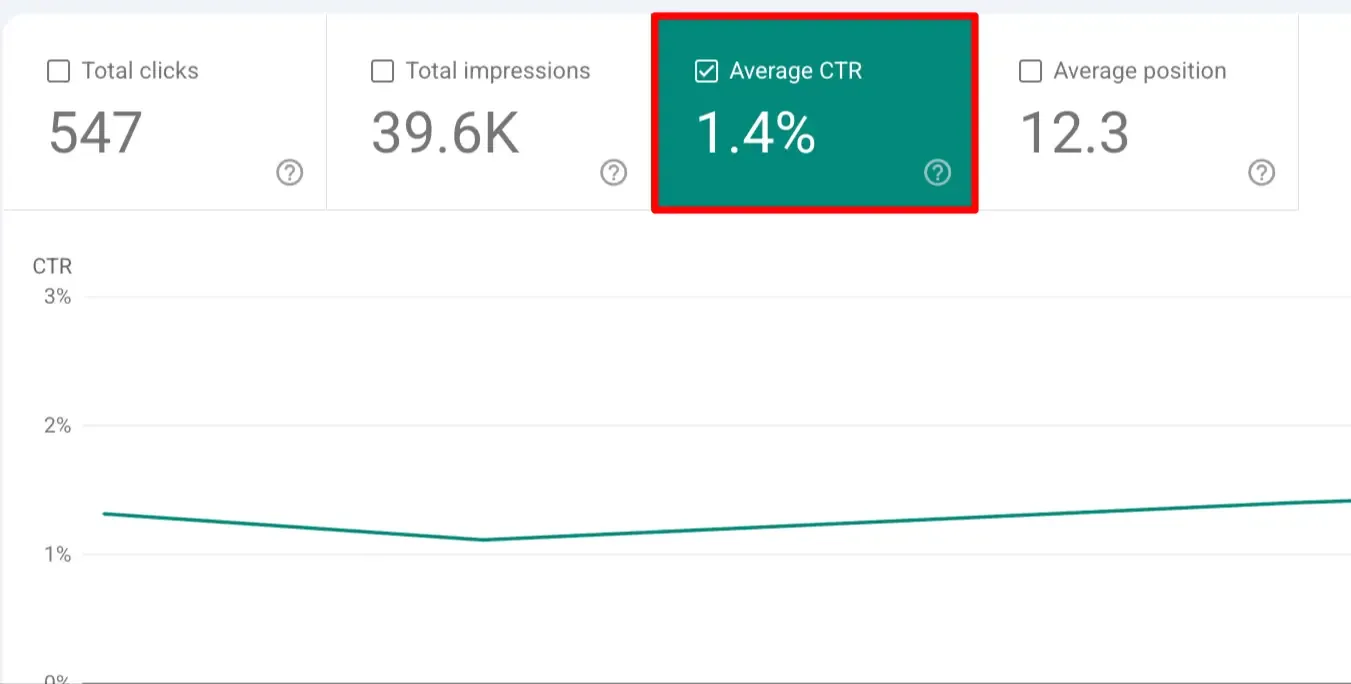
The share of people who see your result and click it. A page ranking well with a low CTR usually has a weak title or meta description, which is one of the fastest wins in SEO. Available per query and page in Search Console.
6. Branded search and direct traffic.
A modern proxy worth watching. As AI Overviews and zero-click results answer questions without a click, people who discover you increasingly search your brand name directly rather than clicking an organic result.
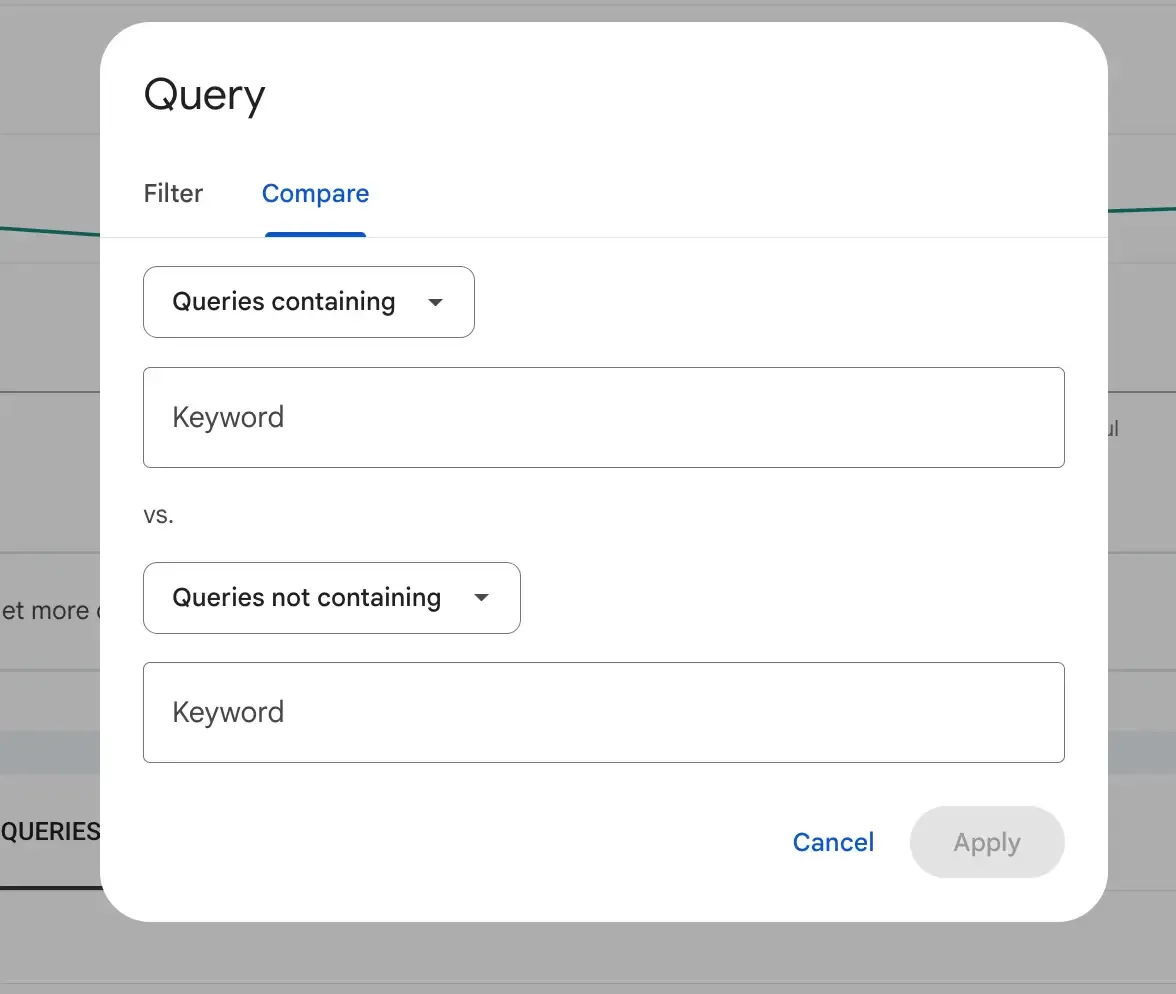
You can isolate branded versus non-branded search with the same query filter covered in the intent section below. Rising branded search alongside flat non-branded clicks often means your content is being cited in AI answers, which is a signal, not a failure.
C) Engagement and Conversion Metrics
These are where SEO connects to money, and where most reporting is weakest.
7. Conversion rate from organic.
The share of organic visitors who take a valuable action: a purchase, a form submission, a signup. This is the metric that turns traffic into a business case. High traffic with low conversion means you are attracting the wrong visitors.
8. Revenue or pipeline from organic.
The metric executives actually care about. For e-commerce, revenue from organic sessions by category. For lead generation, qualified leads from organic and how many become customers. Nobody questions an SEO budget that can point to a revenue number.
9. Engagement rate.
GA4's replacement for the old, widely misunderstood bounce rate. It captures whether visitors actually interact with the page rather than penalizing a session where someone found exactly what they needed and left satisfied.
D) Authority Metrics
These measure the trust and credibility signals that help you rank.
10. Quality backlinks and referring domains.
The number of distinct, reputable sites linking to you, weighted by quality, not raw link count. One relevant link from an authoritative site in your niche outweighs hundreds of directory links. Track referring domains over total links, and watch the trend.
11. Organic visibility trend.
A blended score of how visible you are across all your tracked keywords over time. Useful as a single directional number for spotting algorithm-update impacts or the results of a content push, as long as it is built from intent-weighted keywords.
E) Technical Health Metrics
This is the foundation, and the category most owners underweight. Every metric above depends on Google being able to crawl, index, and serve your pages quickly. When technical health breaks, the other metrics fall, and the cause is often invisible.
12. Index coverage.
How many of your pages Google has actually indexed versus how many you published. A page that is not indexed cannot rank for anything. A sudden gap between your sitemap and your indexed count is a red flag: it can mean a technical error, a stray noindex tag, or in the worst case, hacked pages flooding your index. This is one of the most important and least-watched metrics in SEO.
13. Core Web Vitals and page speed.
Google's user-experience metrics (Largest Contentful Paint, Interaction to Next Paint, Cumulative Layout Shift) are part of its page experience signals, and they decay silently as content and plugins accumulate. Our guides to fixing slow page load time and your Largest Contentful Paint element cover the fixes.
14. Crawl errors and broken links.
Pages returning 404s or 5xx errors waste crawl budget, break the flow of link authority, and frustrate users. Broken links accumulate quietly on any active site as pages move and external sites disappear.
15. HTTPS and security status.
A valid SSL certificate and clean HTTPS configuration are baseline ranking and trust requirements. An expired certificate takes the whole site offline with a security warning, and a hacked site can quietly tank rankings, both of which show up in your metrics as an unexplained collapse.
The SEO Metrics to Stop Tracking
Just as important as what to track is what to ignore. These metrics feel productive but mislead:
- Average keyword position across all keywords. Averages hide the keywords that matter behind the ones that do not
- Total backlink volume. Quality and relevance decide rankings, not raw counts. Sites with 100,000 junk links routinely rank for nothing
- Domain Authority or Domain Rating as a goal. These are third-party tool scores, not Google metrics. Chasing a DA number from 42 to 50 optimizes for the wrong thing
- Raw bounce rate. Often meaningless. Someone who lands on your contact page, gets your hours, and leaves is a success with a 100 percent bounce rate
- Vanity traffic without intent or revenue context. A traffic number that is not tied to conversions or revenue tells you nothing about business impact
The common thread: each of these can go up while your business goes nowhere. Replace them with intent-segmented and revenue-connected versions.
How to Segment SEO Metrics by Intent (the Practical Way)
Several metrics above are far more useful split by search intent, but neither Google Search Console nor Google Analytics 4 has an "intent" button. You build the segment yourself, and it is simpler than it sounds. There are two reliable methods, and you already have the data for both.
Method 1: Filter queries by keyword (Search Console).
Search intent lives in the words people use. Open the Performance report, add a Query filter, and group by the modifiers:
- Informational intent: queries containing "what," "how," "why," "guide," "examples," "ideas," "tutorial"
- Commercial intent: queries containing "best," "top," "review," "vs," "comparison"
- Transactional intent: queries containing "buy," "price," "pricing," "cost," "near me," "hire," "for sale," or your product and service names
- Branded: queries containing your brand name
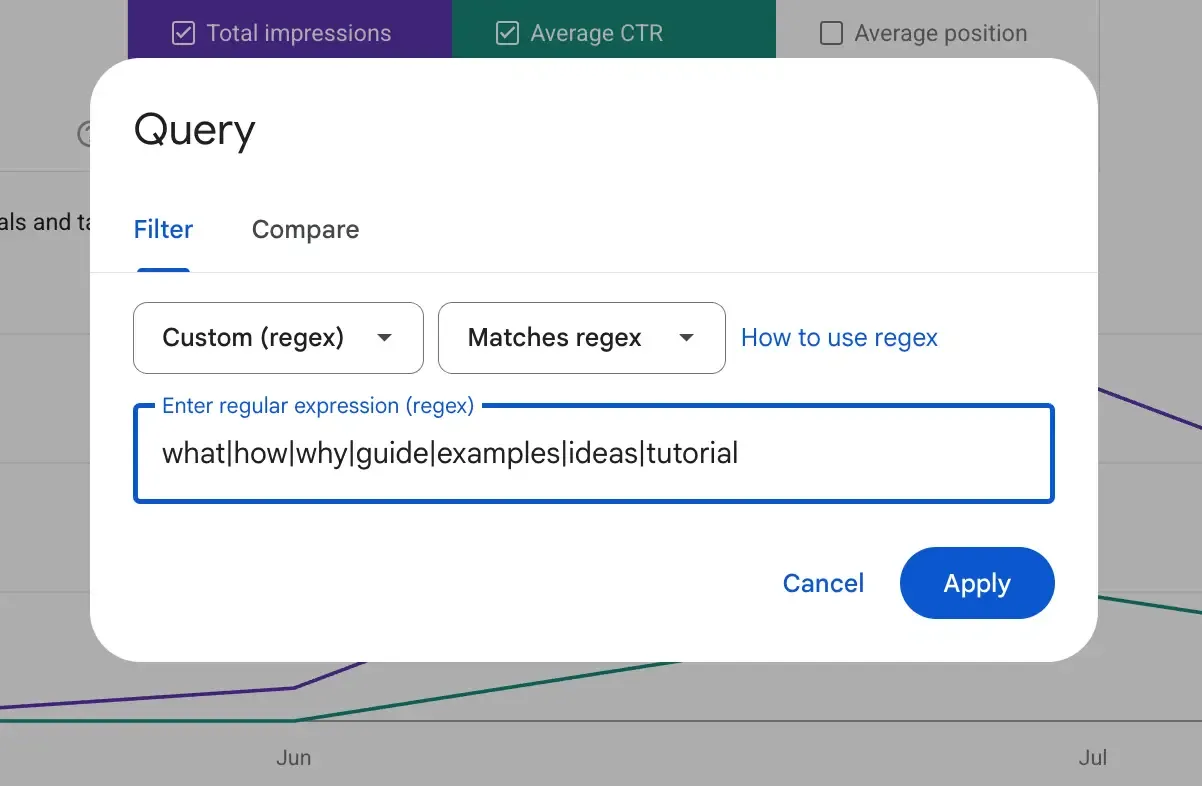
Filter for each group in turn and note the impressions, clicks, and average position. Now you can see, for example, that your commercial queries rank poorly even though your overall numbers look healthy, which is the insight raw averages hide.
Method 2: Group by landing page (Analytics 4).
Your URL structure usually encodes intent already. In GA4, open the Landing page report and filter to the Organic Search channel, then read your URLs as intent groups:
/blog/and/guide/are informational/services/,/pricing/, and product URLs are commercial or transactional.
Grouping performance by URL folder tells you which type of page drives your conversions and revenue.
For most sites, doing this once a month is enough to keep your reporting honest. If you want it automated, rank trackers like Semrush and Ahrefs let you tag keywords into intent groups so the split is maintained for you, but the manual method costs nothing and works from day one.
How to Track SEO Metrics
You do not need an expensive stack to start. Most of these metrics come from two free Google tools, plus continuous monitoring for the technical layer.
Google Search Console is the source of truth for visibility and search-side data: impressions, clicks, CTR, average position, index coverage, and Core Web Vitals. It is free and reports directly from Google.
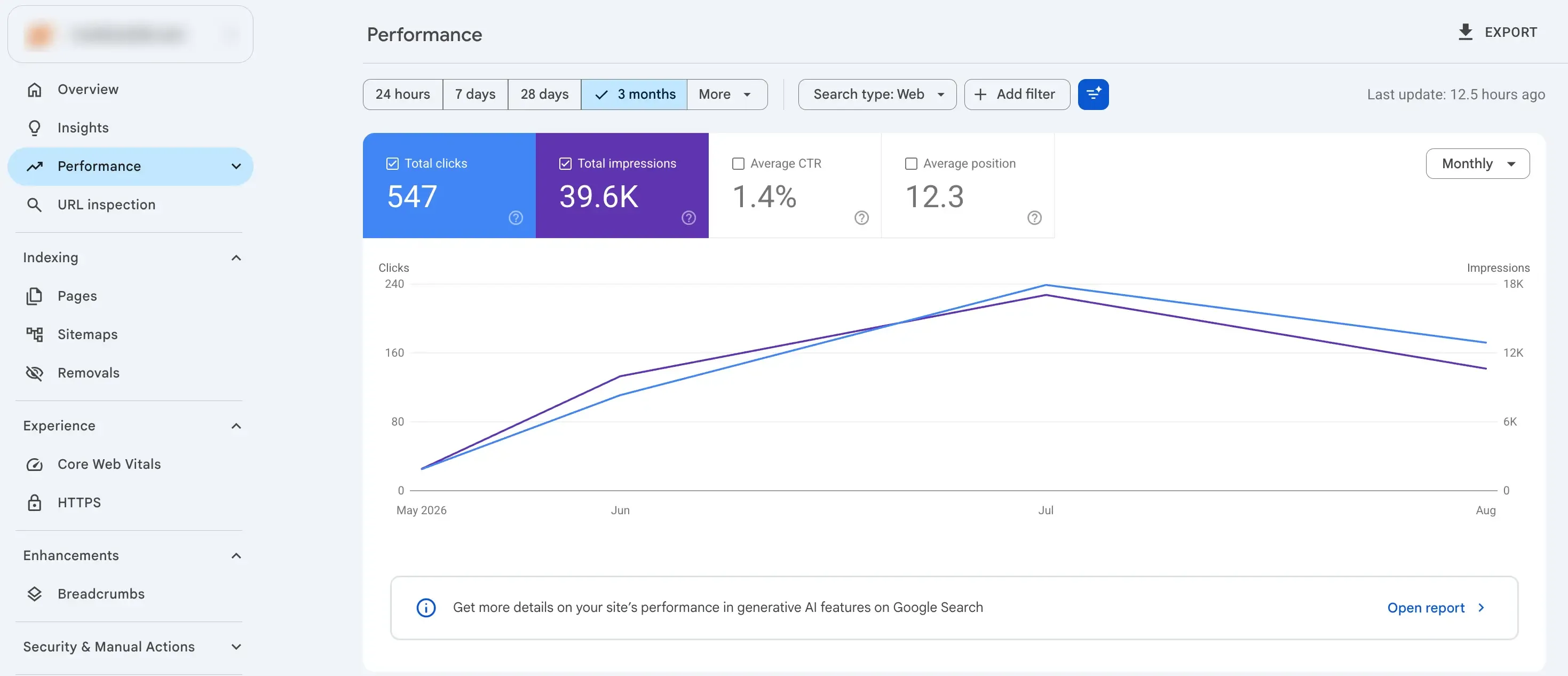
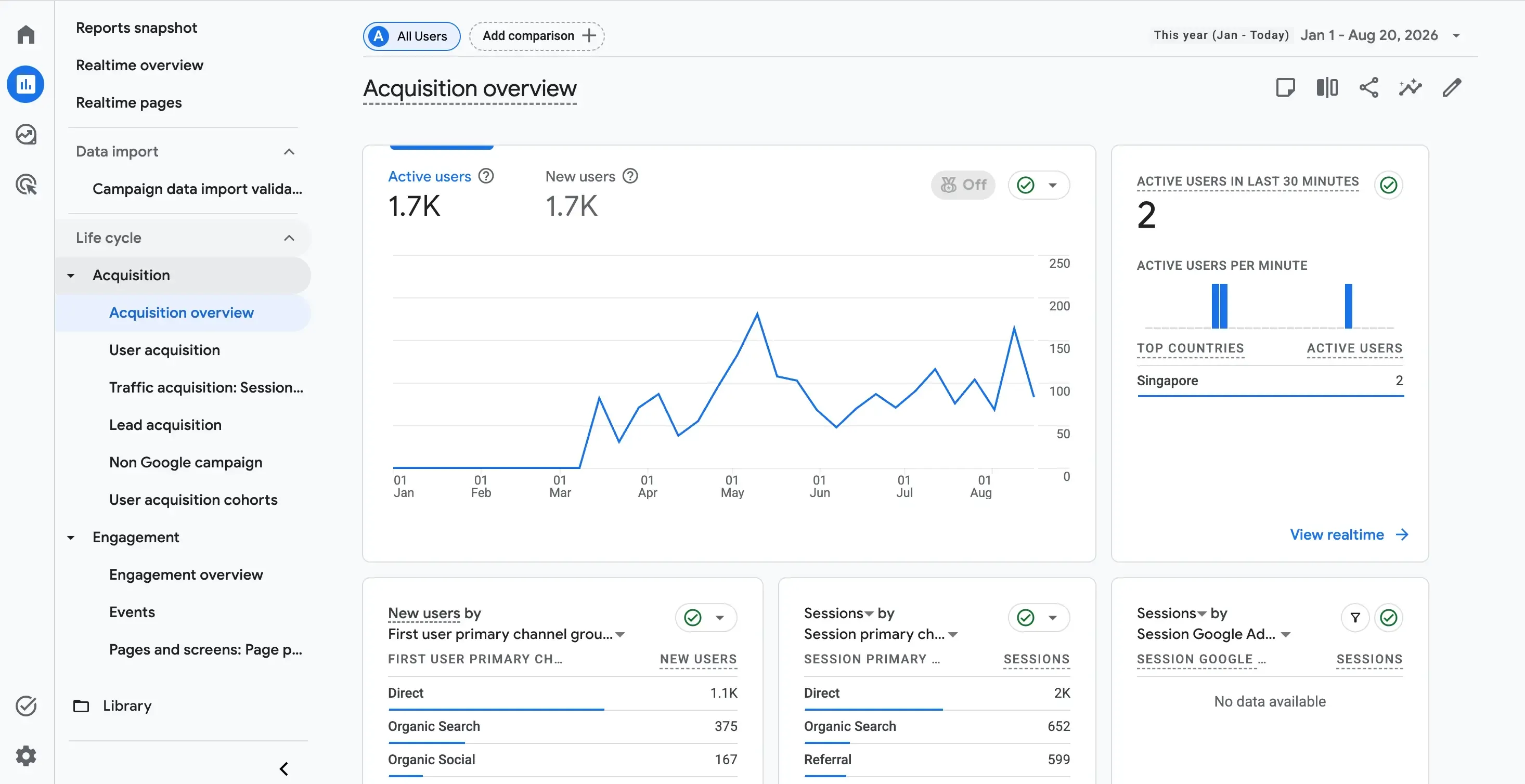
Google Analytics 4 covers behavior and outcomes: organic sessions, engagement rate, conversions, and revenue when you set up conversion tracking. Segment by the organic channel to isolate SEO's contribution.
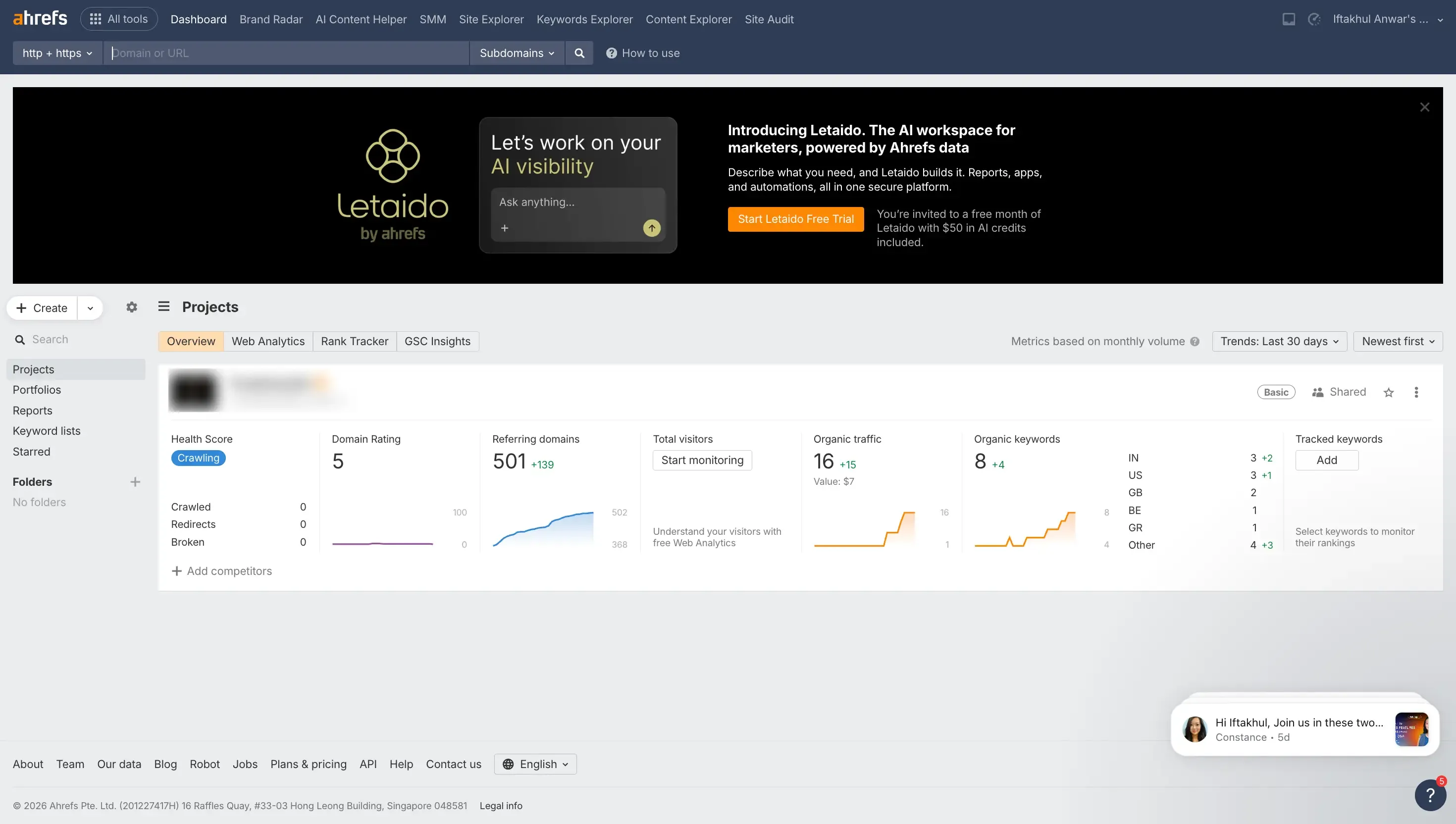
Rank tracking tools (Semrush, Ahrefs, and others) add detailed keyword position tracking, share of voice, and competitor comparison beyond what Search Console shows.
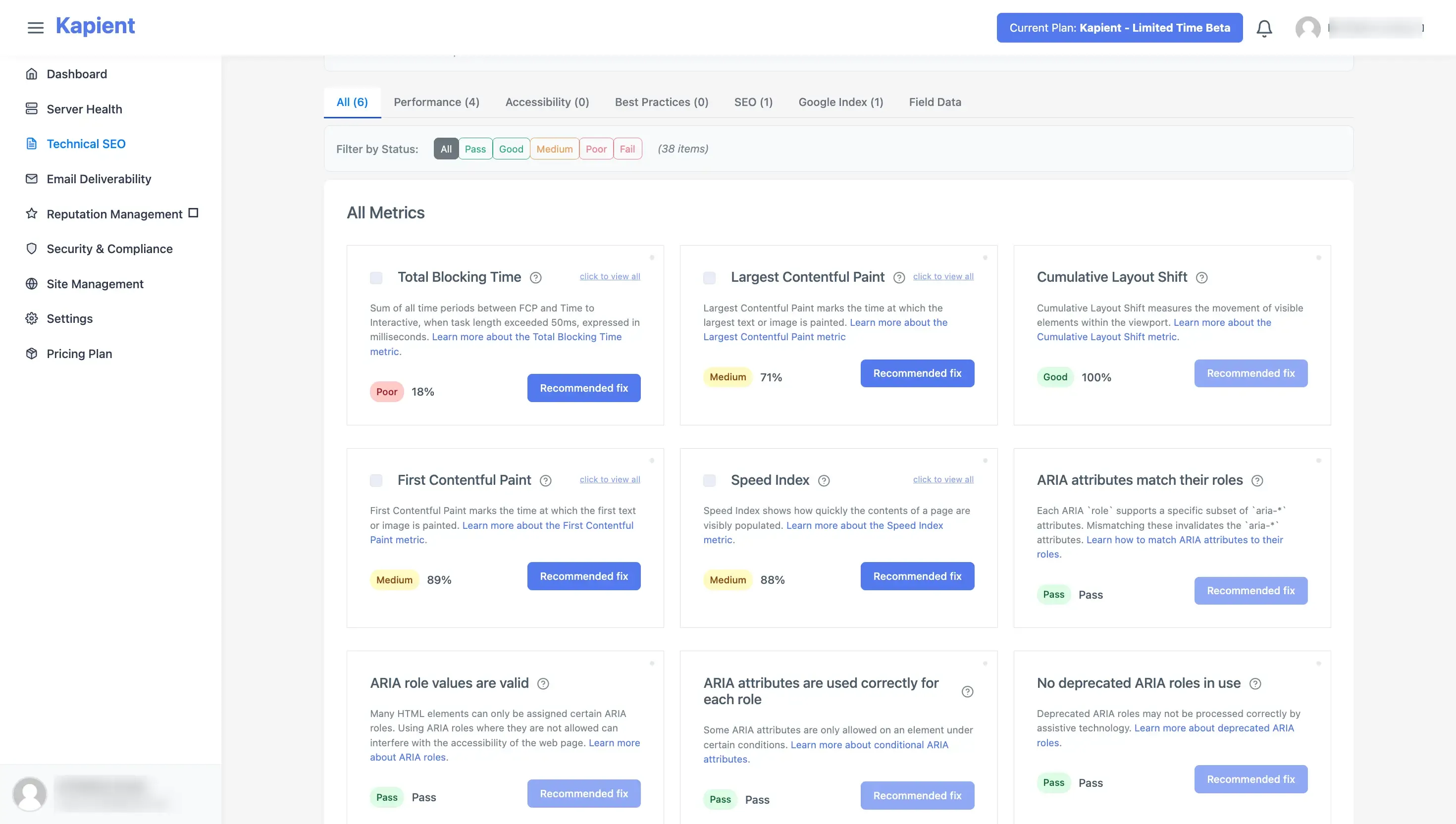
Continuous site monitoring like Kapient covers the technical health metrics that the analytics tools do not watch in real time, index coverage divergence, page speed regressions, broken links, SSL problems, and crawl errors, and alerts you when they break rather than waiting for you to check.
That last category is the gap most SEO stacks leave open, and it is where problems do the most damage, because technical failures are silent.
Why Technical Health Is the Metric Category Everyone Underweights
Here is the pattern that catches teams out. You track rankings and traffic diligently, both look fine, and then one week traffic falls off a cliff. You spend days hunting for an algorithm update or a competitor move, when the real cause was technical: a batch of pages fell out of the index, a plugin update tanked your page speed, a certificate lapsed, or broken links started spreading after a content migration.
These technical metrics do not announce themselves in a rankings report. They break quietly, and by the time they show up as a traffic drop, the damage has been accumulating for weeks. That is the same silent-failure pattern that affects a website across its whole life, mapped in our website decay timeline.
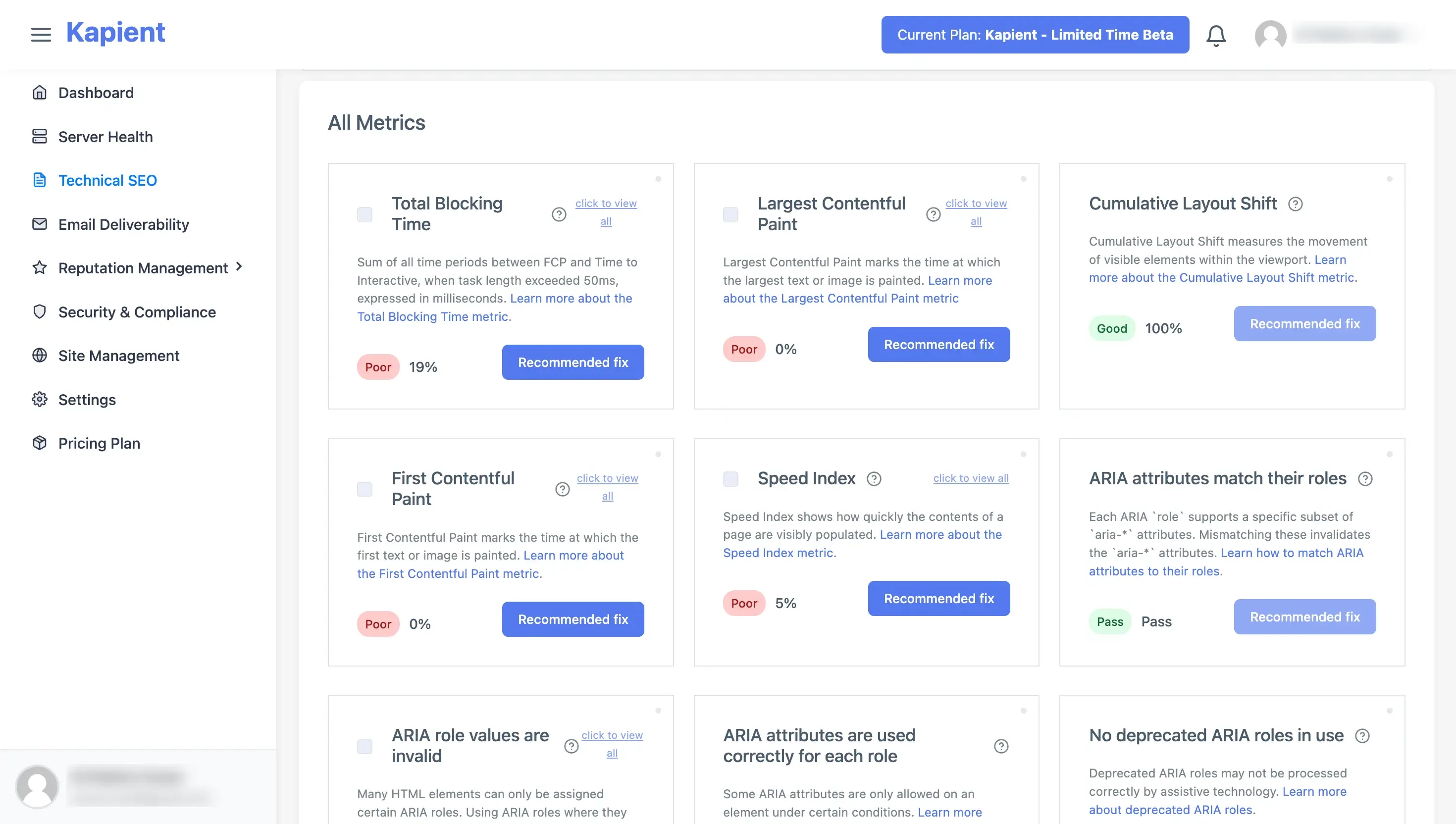
This is exactly the gap Kapient fills. It continuously monitors the technical-health metrics from category five across more than 74 factors, so the numbers that quietly wreck your SEO are caught the day they move, not the month you notice the traffic drop. Its Google Index scan compares the pages in your sitemap against the pages Google has actually indexed, so an indexing problem or a sudden divergence surfaces immediately. It tracks page speed and Core Web Vitals, broken links, technical SEO issues, redirects and HTTPS configuration, and SSL status, all continuously.
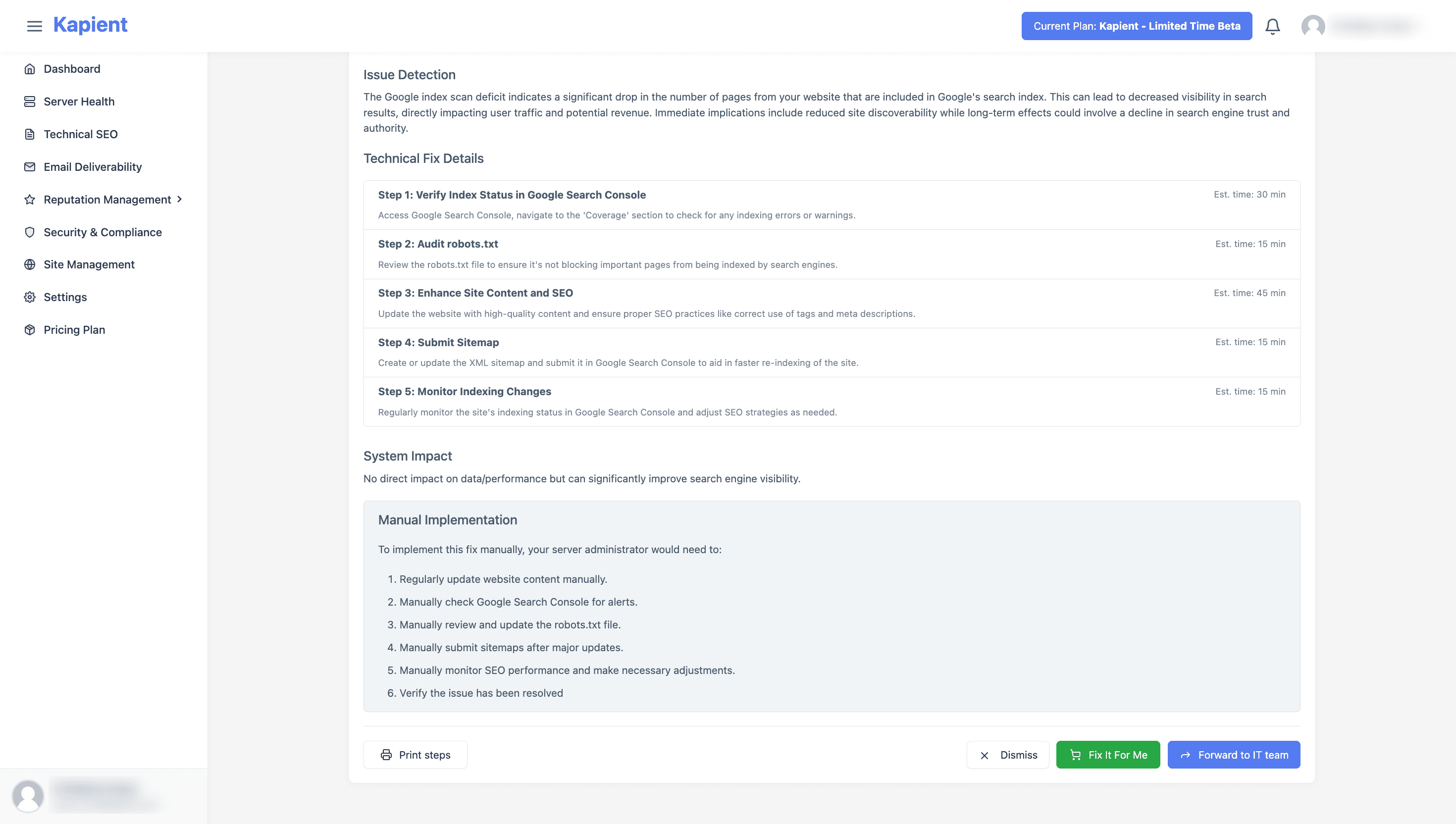
When something moves, you get an email, and in your Kapient dashboard the flagged issue carries a "Recommended fix" button that reveals plain-English steps for your specific setup.
In other words, it turns the technical metrics that normally only show up as a mysterious ranking drop into an early alert you can act on. For anyone running SEO for their own business or for clients, that is the difference between diagnosing a traffic collapse after the fact and preventing it, and it is why technical monitoring belongs in every website care plan.
Turning Metrics Into a Dashboard That Works
Do not track all fifteen with equal weight. Build a dashboard in three tiers:
- Business KPIs at the top: revenue or leads from organic, and conversion rate. These are what you report to stakeholders
- Diagnostic metrics in the middle: intent-segmented traffic, rankings for priority keywords, CTR, share of voice. These explain why the top-line numbers moved
- Technical health at the base: index coverage, Core Web Vitals, broken links, SSL. These are the foundation, monitored continuously so they never silently undermine the tiers above
Review the top tier monthly with stakeholders, the middle tier weekly as an operator, and let the technical base monitor itself with alerts. That structure keeps you focused on outcomes while making sure the foundation never cracks unnoticed.
The SEO metrics that break silently are the ones that cost you the most. Kapient continuously monitors your technical SEO health, index coverage, page speed, broken links, SSL, and 70+ other factors, and emails you the moment something moves, with plain-English fixes. Start monitoring free and stop finding out about problems from your traffic report.
Frequently Asked Questions
What are metrics in SEO?
SEO metrics are measurable data points that show how your website performs in organic search. They range from business outcomes like revenue from organic traffic, to visibility measures like impressions and rankings, to technical signals like how many pages Google has indexed and how fast your pages load. The best metrics connect to a business result, are actionable, and are hard to fake.
What is a good SEO metric?
A good SEO metric connects directly to a business outcome, can be acted on, and cannot be easily gamed. Revenue from organic traffic, conversion rate, and intent-segmented rankings are good metrics. Vanity numbers like total backlink count or a third-party domain authority score are weak metrics, because they can rise without your business improving at all.
What are SEO KPIs?
SEO KPIs are the handful of metrics you designate as your key measures of success, chosen because they tie directly to your goals. Every KPI is a metric, but most metrics should not be KPIs. Common strong KPIs are revenue or qualified leads from organic, conversion rate from organic traffic, and visibility for high-value commercial keywords.
How do I track SEO metrics?
Use Google Search Console for search-side data (impressions, clicks, CTR, rankings, index coverage, Core Web Vitals), Google Analytics 4 for behavior and conversions (organic sessions, engagement, revenue), and a rank tracker for detailed keyword and competitor data. For the technical-health metrics that break silently, such as index coverage and page speed, continuous monitoring tools alert you the moment something changes.
What is the best tool for SEO tracking?
There is no single best tool; the strongest setup combines a few. Google Search Console and Google Analytics 4 are free and essential for visibility and conversion data. A rank tracker like Semrush or Ahrefs adds keyword and competitor depth. A continuous monitoring tool covers technical health in real time. The right mix depends on whether your priority is rankings, revenue, or catching technical issues early.
Is 75 a good SEO score?
It depends entirely on what is being scored, because "SEO score" is not a standard metric. Tool-generated scores out of 100 (from a site audit or an SEO plugin) generally treat 70 to 79 as good and 80-plus as very good, but these are proprietary and not used by Google. Treat a score of 75 as a directional health indicator to improve, not a ranking guarantee, and focus on the specific issues behind the number rather than the number itself.
How do I check if my SEO is good?
Look at outcomes first: is organic traffic converting into leads or revenue, and is that trending up? Then check diagnostics: are you visible for your high-value keywords, and is your click-through rate healthy? Finally, confirm the technical foundation is sound: your pages are indexed, fast, secure, and free of broken links and crawl errors. Good SEO shows up as business results resting on a clean technical base, not as a single score.
What is the most accurate SEO tool?
For search data straight from Google, Google Search Console is the most accurate source, since it reports Google's own data rather than an estimate. Third-party tools like Semrush and Ahrefs estimate traffic and difficulty using their own models, which are useful for competitor comparison but are approximations. For technical health, a tool that scans your actual live site gives the most accurate current picture of index coverage, speed, and errors.
Written by
Khul Anwar
Growth
Khulanwar leads content and growth at Kapient, where the team helps small businesses and agencies keep their websites healthy, fast, and compliant. He writes about website monitoring, technical SEO, and the maintenance work that quietly keeps sites from breaking after launch.
Related articles

Website Migration Checklist: The Complete Guide to Migrating Without Losing Traffic
August 19, 2026

How to Remove Hacked Spam Pages That a Hacker Indexed on Your Domain
August 11, 2026

SSL Certificate Expired: How to Fix It and Stop It Happening Again
July 24, 2026

How to Fix a WordPress Contact Form Not Sending Emails
July 23, 2026