Website Monitoring: The Complete Guide
Website monitoring is how you know your site is actually working, not just whether it loads for you right now. It is the ongoing process of watching a website's health across many dimensions and getting alerted the moment something goes wrong. The reason it exists is simple: a website is not a finished object
Khul Anwar

TL;DR: Website monitoring is the practice of continuously checking a website for problems, from downtime and slow pages to broken links, expired SSL, accessibility failures, and silent form errors, so you find and fix them before visitors or search engines do. It is far broader than uptime alone. A modern site has dozens of things that can break quietly, and a one-time audit cannot catch them because a website changes constantly. This guide explains what website monitoring covers, why it matters, what to watch, and how to move from manual spot-checks to continuous, automated monitoring.
Website monitoring is how you know your site is actually working, not just whether it loads for you right now. It is the ongoing process of watching a website's health across many dimensions and getting alerted the moment something goes wrong. The reason it exists is simple: a website is not a finished object. It is a living system of software, content, certificates, integrations, and third-party services, and any part of it can fail without warning while everything else looks fine.
Most people think of website monitoring as "is my site up or down." That is one small piece. A site can be perfectly "up" while its contact form silently stops sending leads, its SSL certificate expires tonight, its largest page takes nine seconds to load on mobile, or a new template quietly breaks accessibility. Real website monitoring watches all of it.
What is website monitoring?
Website monitoring is the continuous, automated checking of a website against a set of health and quality signals, with alerts when any of them fail. Instead of discovering a problem when a customer complains or traffic drops, monitoring surfaces the issue the moment it appears, ideally with enough detail to fix it fast.
The scope is what separates real monitoring from a simple uptime ping. Comprehensive website monitoring spans availability, performance, security, technical SEO, accessibility, and the integrations a site depends on to do business, like forms and email. Each of these is a place a site can fail independently of the others, which is why watching only one leaves you exposed on all the rest.
Why website monitoring matters
The core problem is that website failures are usually silent. Nothing announces them, and by the time a human notices, the damage is often already done. A website starts drifting out of health the moment it goes live, a pattern we break down in detail in our guide to what happens to a website after launch.
The business cost is real and measurable. Speed alone is a good example: as page load time grows from one to three seconds, the probability that a visitor bounces rises by around 32 percent, and more than half of mobile visitors abandon a page that takes longer than three seconds to load.
Now multiply that kind of silent loss across every failure mode a site has, an expired certificate scaring away every visitor, a broken form quietly killing your lead flow, an accessibility barrier exposing you to legal risk, and the value of catching problems early becomes obvious. Monitoring is cheaper than any single one of those failures left unnoticed.
What to monitor on a website
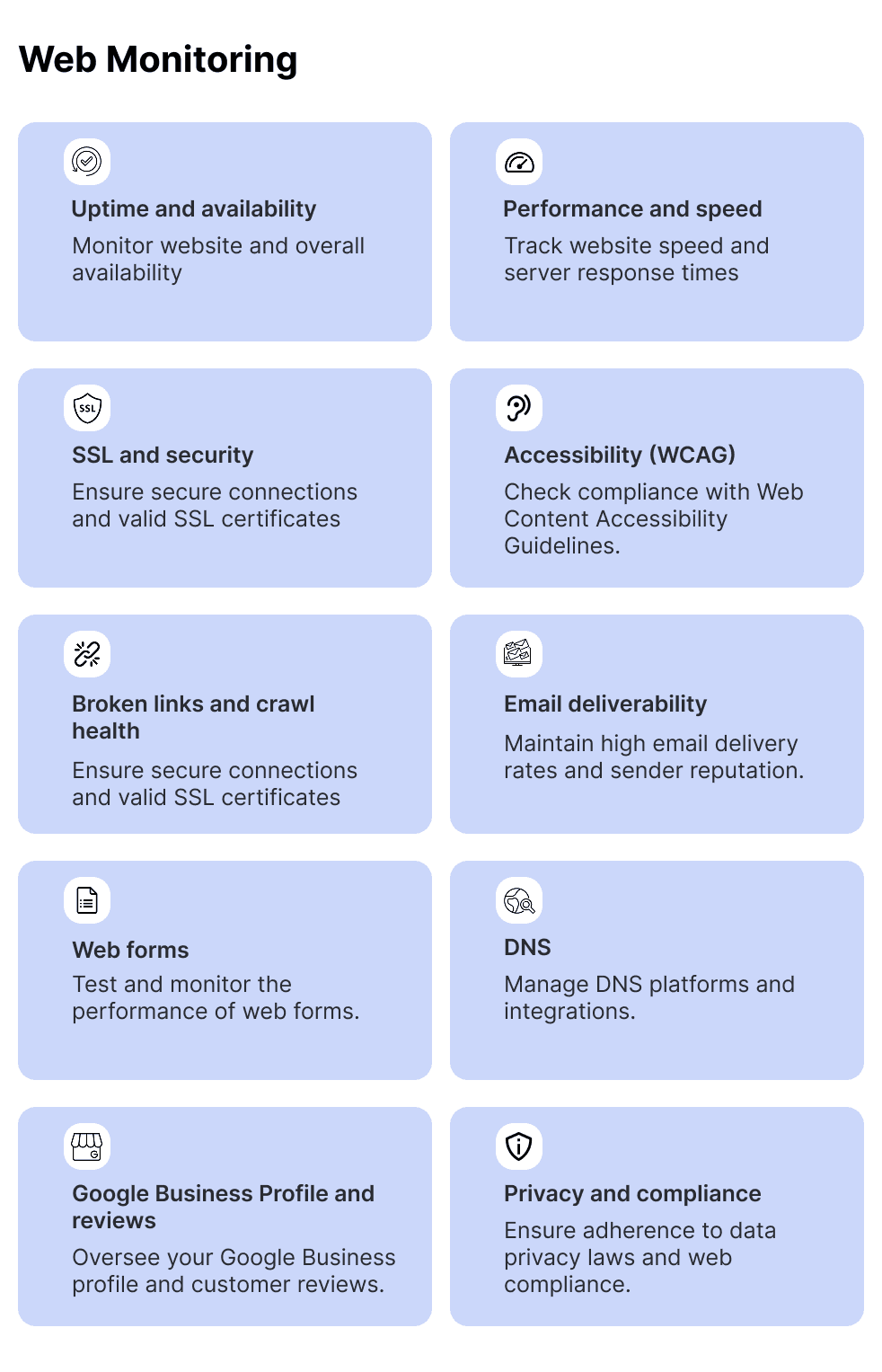
A complete monitoring strategy covers the areas below. Each one is a distinct way a site can fail, and each links to a deeper guide.
1) Uptime and availability
The most basic layer: is the site reachable at all? Uptime monitoring checks your site from outside at regular intervals and alerts you when it goes down. It is essential but not sufficient, which is why it is worth understanding uptime monitoring as one layer rather than the whole picture. If you are comparing dedicated tools, we cover the best Pingdom alternatives and UptimeRobot alternatives separately.
2) Performance and speed
A slow site loses visitors and rankings even when it never goes down. Performance monitoring tracks load times and Core Web Vitals so you catch regressions after a plugin, image, or template change. Our guide to website performance monitoring goes deeper, and for one of the most misunderstood metrics, see Total Blocking Time.
3) SSL and security
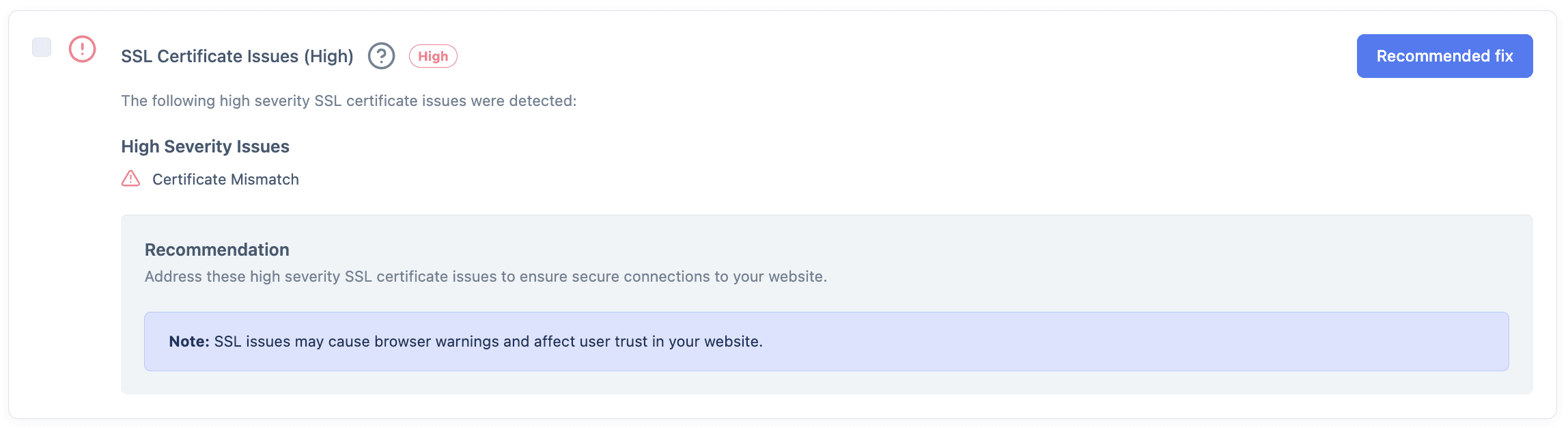
An expired SSL certificate turns every visit into a full-page security warning, and a hacked site can be indexed with spam before you notice. Security monitoring watches certificates, malware, and suspicious changes. Start with website security monitoring, and for the two most common emergencies, an expired SSL certificate and hacked spam pages.
4) Broken links and crawl health
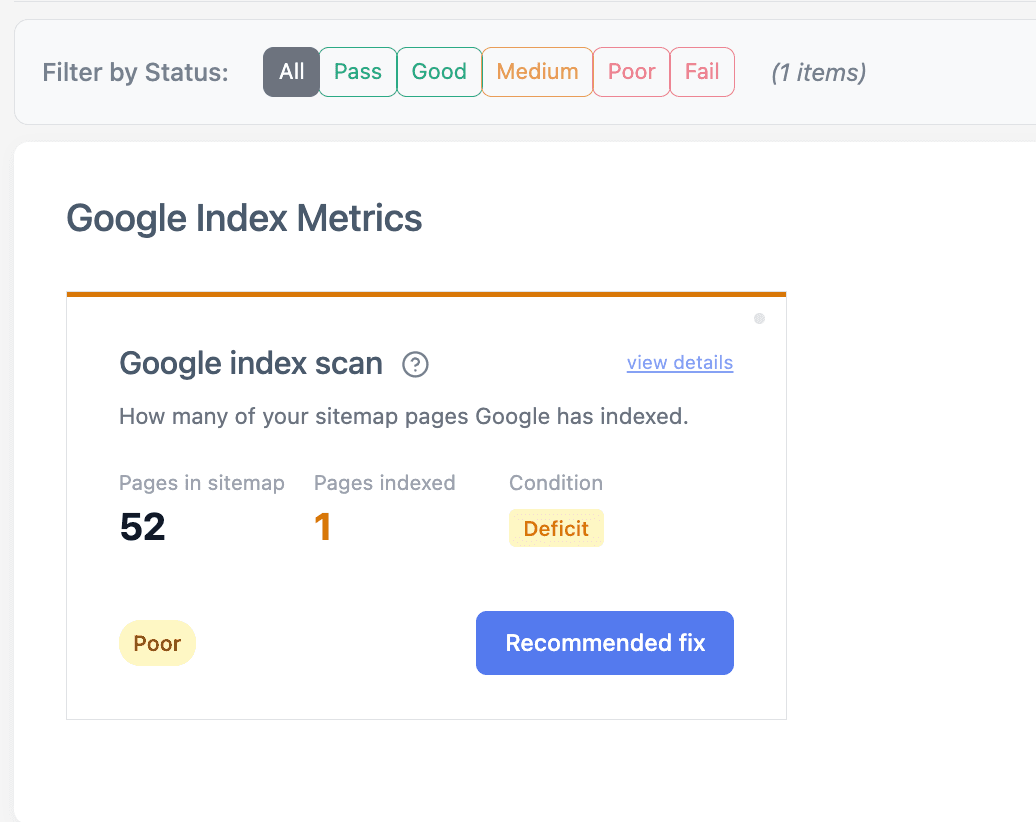
Broken links waste crawl budget, frustrate visitors, and signal neglect to search engines. This matters most after changes, which is why it belongs in every website migration checklist. Monitoring catches the dead URLs that accumulate as content is added and removed.
5) Accessibility (WCAG)
Accessibility barriers appear quietly with every design change, and they carry both usability and legal consequences. Monitoring your live site against WCAG catches issues like missing alt text and low contrast as they happen. See our guide to web accessibility monitoring and the practical walkthrough on how to check WCAG compliance.

6) Email deliverability
If your domain's email authentication breaks, your transactional and marketing emails start landing in spam, silently. Monitoring SPF, DKIM, and DMARC keeps your messages arriving. More in email deliverability monitoring.
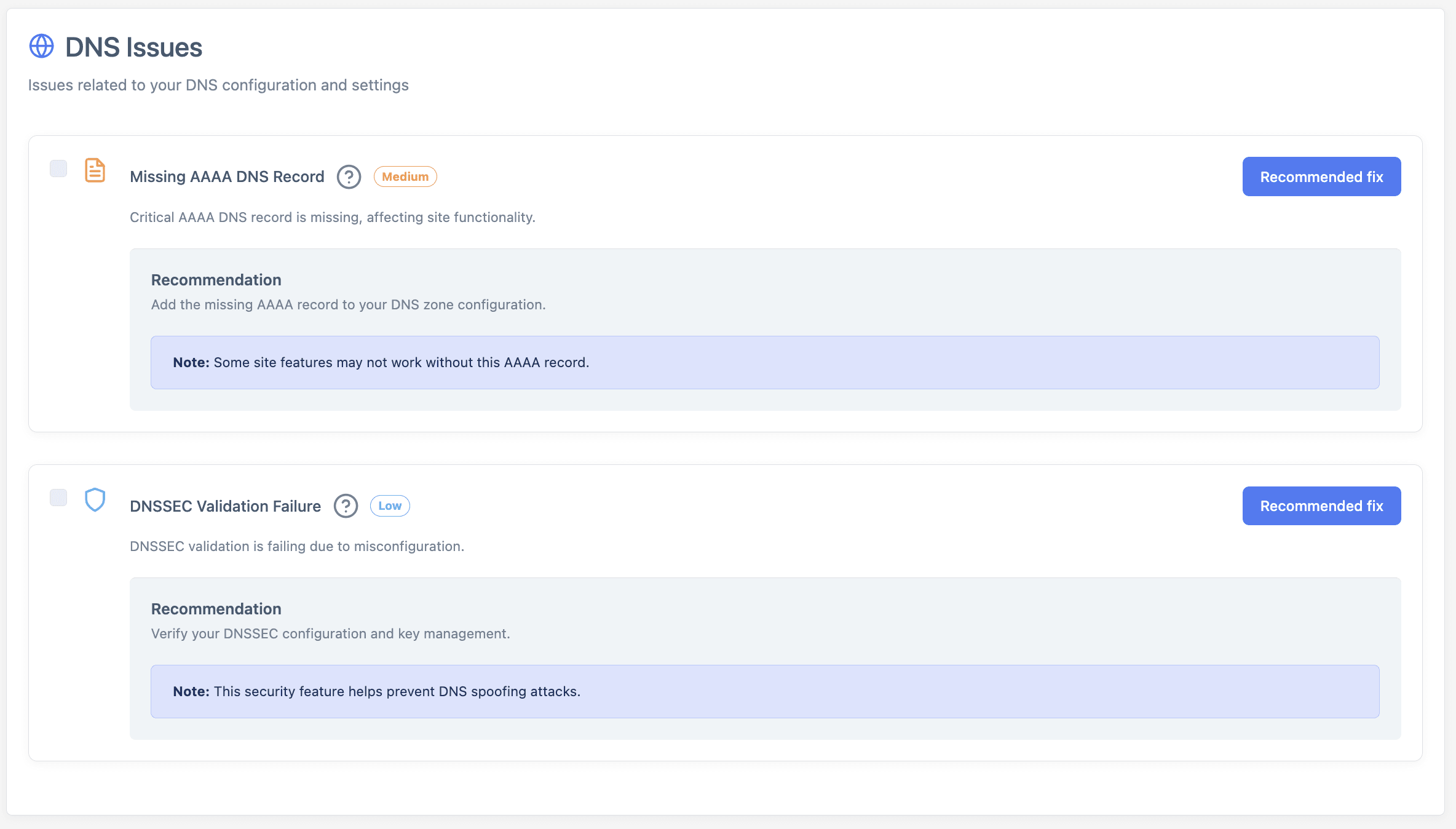
7) DNS
DNS is the plumbing that points your domain at your site and mail. When a record changes or expires, things break in confusing, hard-to-trace ways. DNS monitoring catches those changes early.
8) Web forms
A contact form that stops sending is the most expensive silent failure a site has, because the visitor thinks they reached you and you never know they tried. This is common enough that we wrote a full guide on a WordPress contact form not sending emails, and web form monitoring exists to catch it automatically.
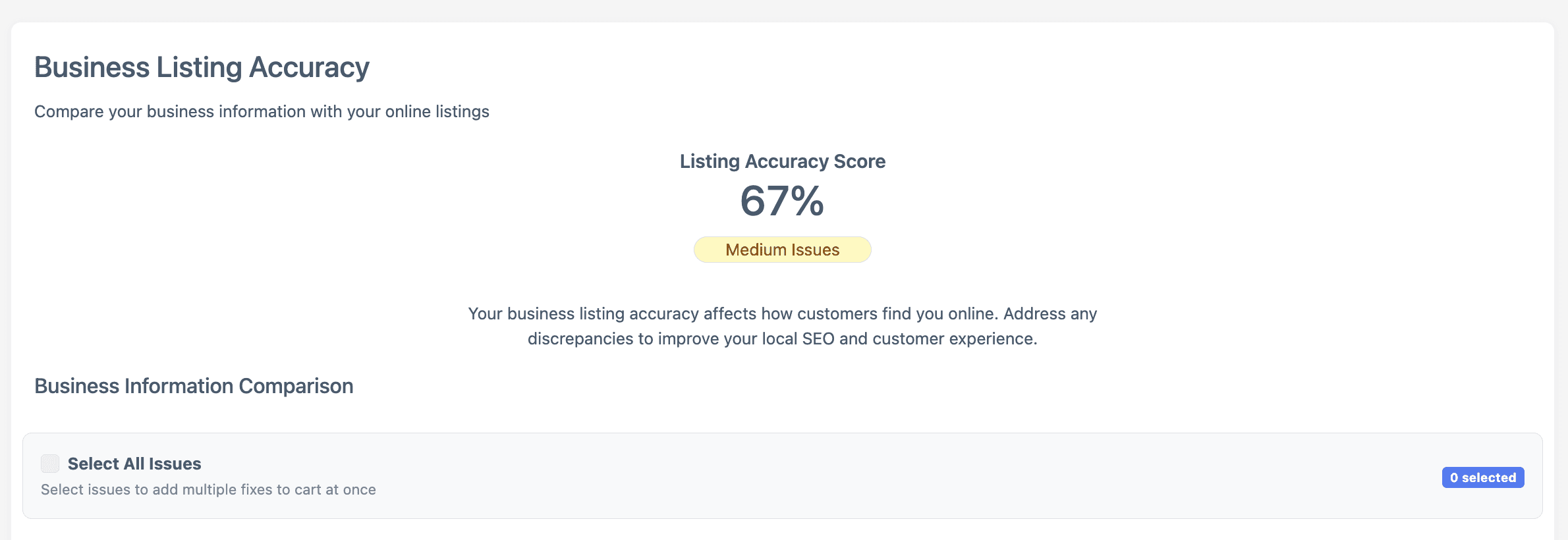
9) Google Business Profile and reviews
For local businesses, your Google Business Profile is often more visited than your website, and it can be edited, suspended, or fall out of date. Google Business Profile monitoring keeps your most important local asset watched alongside your site.
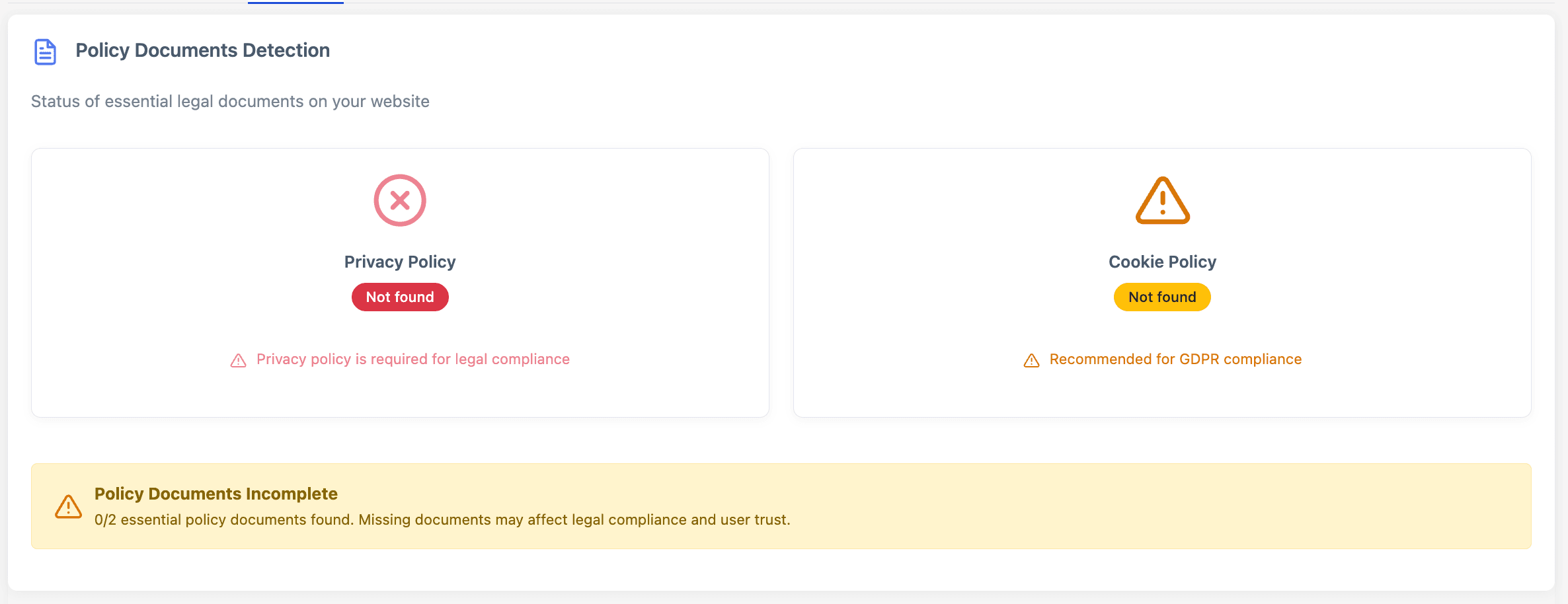
10) Privacy and compliance
Cookie banners, consent, and privacy policies carry growing legal weight. Privacy and compliance monitoring flags gaps before they become liabilities.
How to monitor a website: manual versus continuous
There are two ways to do all of this, and understanding the difference is the whole point.
The manual approach is to check everything yourself on a schedule. You can load the site to confirm it is up, run a speed test, check the SSL expiry date, click through key links and forms, run an accessibility scanner, and review your search console. Done thoroughly, this genuinely works, and for a single site you can maintain it. It is a real, complete method, and there is nothing wrong with it as far as it goes.
The continuous approach is to have software do those checks automatically, around the clock, and alert you only when something changes. Instead of a person remembering to look, the monitoring looks constantly and stays quiet until it finds a problem.
For one site you own and rarely change, manual checks can be enough. The trouble starts the moment your site changes often, or you are responsible for more than one. A freelancer or agency quickly finds that manual monitoring caps how many sites they can handle, a ceiling we do the math on in how many client websites one freelancer can manage.
Why manual monitoring quietly stops working
Here is the catch with the manual method. A manual check is a snapshot of a single moment. The instant you finish checking, your site can change, and your check is out of date. Every new blog post, plugin update, image, or redesign is a chance to introduce a problem the moment after you last looked.
That is the shelf-life problem. The check you ran on Monday tells you nothing about the certificate that expires Thursday, the form that breaks after Friday's plugin update, or the contrast that drops below the threshold in next week's redesign. Manual monitoring does not fail loudly. It just silently falls behind the site it is meant to watch, and the gap between "I checked it" and "it is actually fine" grows every day you do not look. This is exactly the gap continuous monitoring is built to close.
How Kapient monitors your website
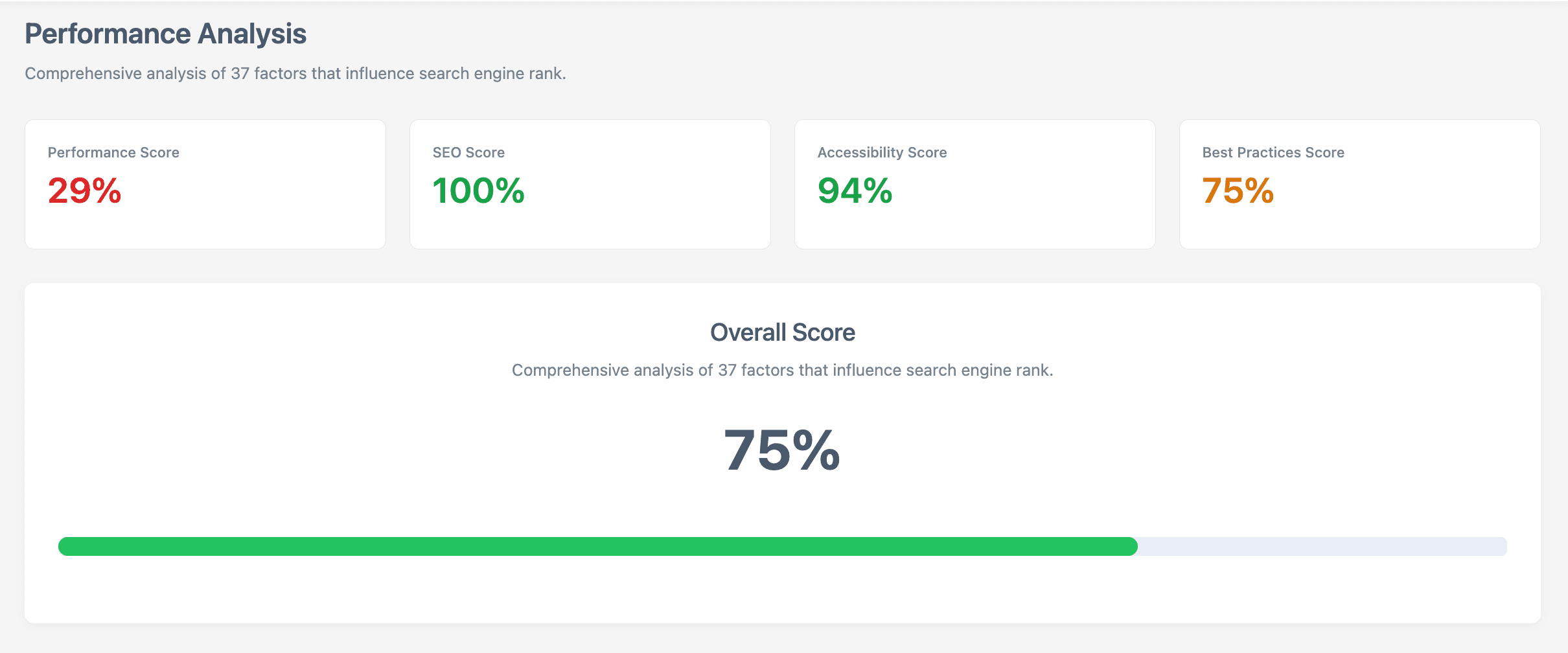
This is where continuous monitoring replaces the periodic check. Kapient scans your live site across 74+ technical and quality factors and re-checks them on an ongoing basis, so problems surface as they happen rather than at your next manual review or, worse, when a customer tells you.
Kapient covers the areas above in one place, including performance, SSL and security, broken links, technical SEO, live-site accessibility against WCAG, forms, email deliverability, DNS, and more. Instead of running a dozen separate tools on a schedule you have to remember, you get one system watching continuously.
When Kapient detects an issue, it does two things. It sends an email alert so you know something needs attention, and inside the dashboard it gives you a "Recommended fix" button that reveals plain-English, step-by-step guidance tailored to your platform, whether you build on WordPress, Wix, Squarespace, Shopify, or Webflow.
The alert tells you what changed. The dashboard tells you exactly how to fix it, in your own stack, without needing a developer to translate. That combination, continuous detection plus a clear fix, is what turns monitoring from a list of problems into problems actually solved.
Who needs website monitoring
Two groups get the most value. Business owners who depend on their site for leads or sales cannot afford silent failures, and usually do not have time to check everything by hand. Agencies and freelancers who manage sites for clients need monitoring simply to scale, because manual checking does not, and because catching a problem before the client does is what justifies a retainer. That is the foundation of a healthy website care plan and the recurring revenue built on top of it.
Your website is changing right now, and something may already be broken. Kapient watches your whole site continuously and hands you the exact fix the moment anything breaks. Start monitoring your site with Kapient and stop finding out about problems from your customers.
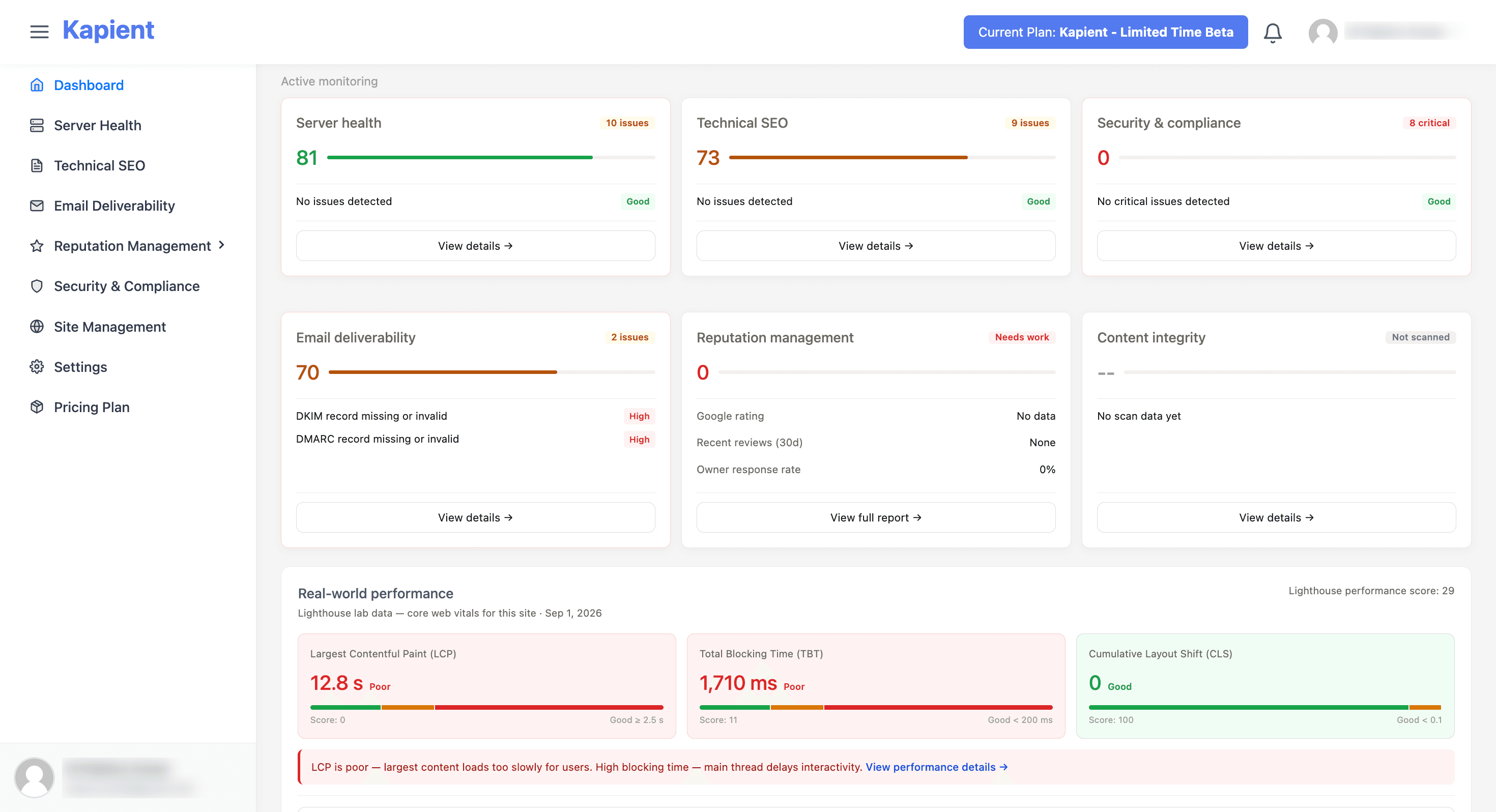
Kapient brings every layer of website monitoring into one dashboard, with a recommended fix beside each issue it finds.
Frequently asked questions
What is website monitoring?
Website monitoring is the continuous, automated checking of a website for problems across areas like availability, speed, security, SSL, accessibility, and forms, with alerts when something fails. It is designed to catch issues the moment they appear, so you can fix them before visitors or search engines are affected, rather than discovering them after the damage is done.
What is the difference between website monitoring and uptime monitoring?
Uptime monitoring checks only whether a site is reachable, up or down. Website monitoring is much broader, covering performance, security, SSL, broken links, accessibility, forms, email deliverability, and more. A site can be fully "up" while still failing in ways uptime monitoring never sees, which is why uptime is best understood as one layer of website monitoring rather than the whole of it.
What should you monitor on a website?
At minimum, monitor uptime, page speed and Core Web Vitals, SSL certificate status, broken links, security and malware, live-site accessibility, and critical integrations like contact forms and email deliverability. Local businesses should also monitor their Google Business Profile. The right set depends on how you use your site, but the theme is consistent: watch everything a failure of which would cost you visitors, leads, rankings, or trust.
How often should a website be monitored?
Continuously. Because website problems appear silently and at any time, periodic manual checks always leave a gap between reviews during which an issue can go unnoticed. Automated monitoring runs around the clock and alerts you only when something changes, which is both more reliable and far less work than scheduled manual checks.
Do small business websites need monitoring?
Yes, often more than large ones, because small businesses usually lack a dedicated team to notice problems and depend heavily on their site for leads or sales. A single silent failure, an expired certificate or a broken form, can quietly cost a small business real revenue for weeks. Monitoring provides the early warning a small team cannot maintain manually.
Can website monitoring be automated?
Yes, and it should be. Automation is what makes monitoring reliable, since software can check dozens of factors continuously without forgetting or getting busy. Tools like Kapient run these checks on an ongoing basis and alert you with fix guidance when something breaks, which is far more dependable than relying on someone to remember to look.
Written by the Kapient team. Last updated: September 2, 2026.